app guide

9 / roles + permissions
do you work with multiple photographers or team members?
you can add them to your team and set individual permission levels.
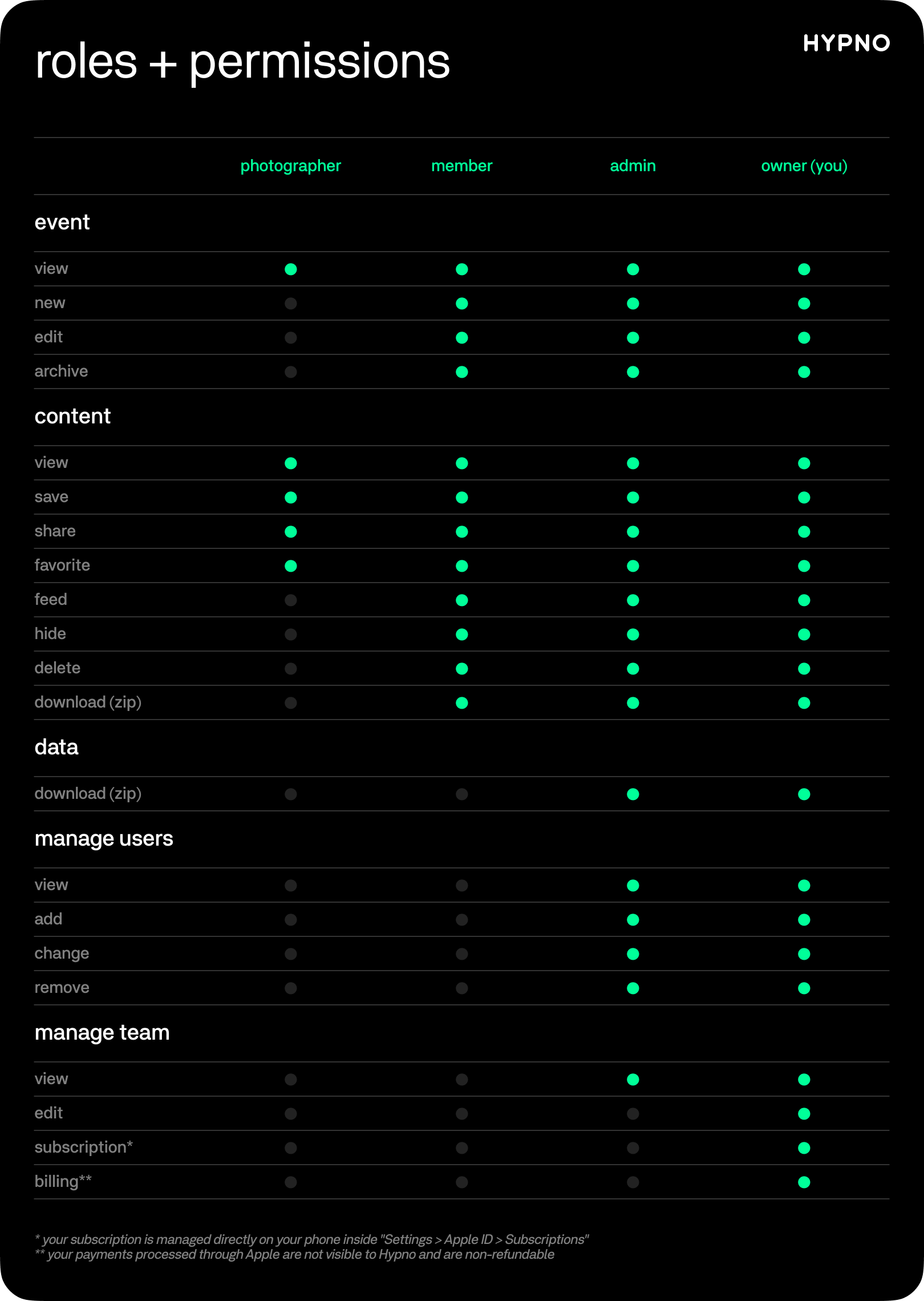
for example, when you scan people into your events to shoot and share photos, they join as "photographers" with minimal permissions — this allows them to upload photos, but they can't do other things, like edit events, delete content, or access data that belongs to your team.
to change their permissions, you must change their roles on your team.
this permissions table shows what photographers, members and admins are allowed to do within your team:
as the team owner, go to settings > team in the app or on your web dashboard to manage every aspect of your team, including your users, subscriptions and billing.