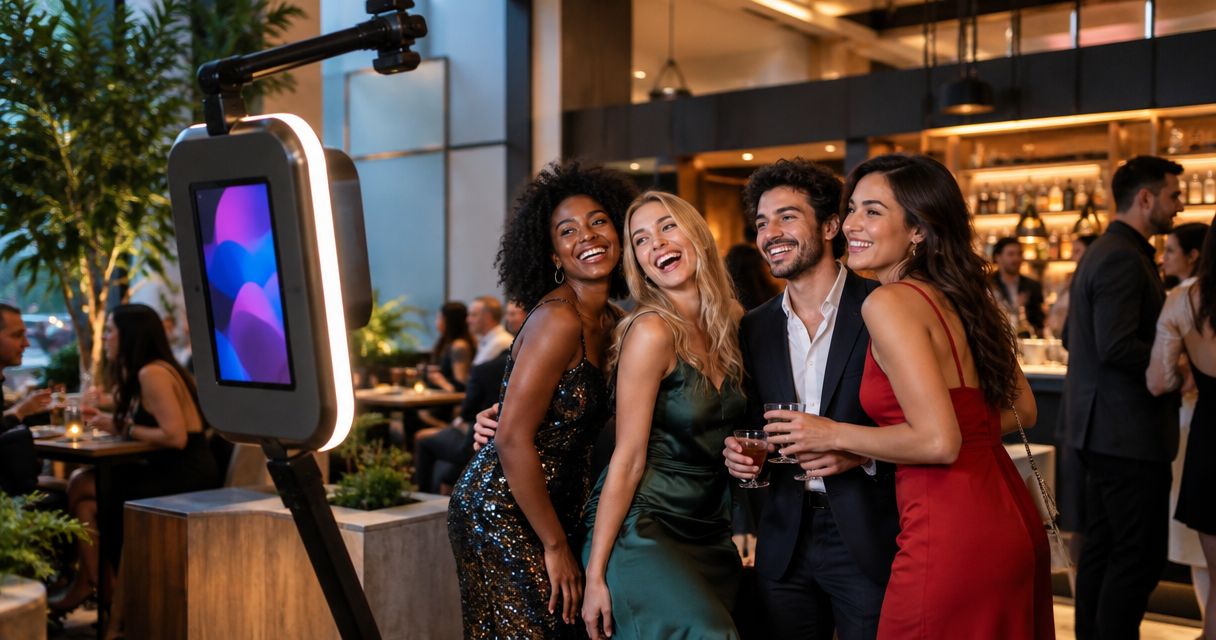
Glambot rental for restaurants and bars: complete 2026 guide
glambot rental for restaurants and bars is an event video capture service built around a programmed camera move, with the aim of creating branded guest content for hospitality activations. For a restaurant launch, bar takeover or drinks-brand pop-up, the production must work around tables, servers, glassware and guests—not interrupt them.
TL;DR
- Choose glambot rental for restaurants and bars when a directed camera moment fits the activation and venue layout.
- Hypno is best for brands and agencies seeking branded photo and video capture with instant delivery.
- Confirm camera movement, operating space, staffing and delivery before approving a rental.
- Judge the activation by completed content and guest experience, not the equipment name.
why video capture matters for restaurants and bars
A hospitality activation has competing jobs. Guests need to order, meet people and move through the room; the brand needs a recognizable moment worth capturing. A separate capture area gives that moment a defined place instead of turning the whole venue into a filming zone.
For your 2026 brief, distinguish a glambot-style shot from other event video formats. A programmed camera move, an orbiting camera and a fixed camera create different footage and require different operating layouts. The name alone does not describe the deliverable.
Start with the shot you want, then compare the production requirements. The glambot rentals for events guide gives you a related format to consider while you build the brief. Do not approve equipment before approving a sample clip and its operating plan.
A restaurant or bar adds constraints that a dedicated event space does not. Service continues around the activation. Keep the filming queue, guest exit and content collection away from the routes staff use to carry food and drinks.
plan the activation before booking the camera
define the content outcome
Start manually with a phone storyboard and a written shot description. Decide whether the content should introduce a venue, show a sponsor's product or give guests a branded portrait. Those are different assignments, even when the same camera could film them.
Write a 1-page brief for the 2026 activation. Include the event date, venue address, audience, campaign message and final content destination. A clear brief lets a supplier respond to the actual production rather than quote against a vague equipment request.
Give the shot a specific purpose. A product reveal needs a visible product; a guest portrait needs readable faces; a venue-opening clip needs enough setting to identify the space. Trying to deliver all three in every take makes direction harder.
- Name the campaign objective in a single sentence.
- Describe what guests should do on camera.
- Identify the branding that must appear.
- Specify the required orientation and delivery destination.
map the capture area around live service
Walk the room with the venue manager before drawing a layout. Mark the entrance, kitchen access, bar service points, emergency exits and guest circulation. Then place the capture area where neither the operating equipment nor the waiting group blocks those routes.
Ask the supplier for the actual operating envelope, not just the equipment footprint. Camera travel, crew positions, lighting, cables and guest entry all need space. There is no universal clearance that applies to every glambot setup.
Use 3 checkpoints in your walkthrough: arrival, capture and exit. Follow the route as a guest, then repeat it as a server carrying a tray. If either route crosses the camera's operating area, revise the layout before approving it.
- Request a marked operating-area drawing.
- Separate the waiting line from table and bar access.
- Agree where drinks and loose belongings stay during capture.
- Confirm cable routing and emergency access with the venue.
match the capture format to the brief
Test the intended composition with a phone before choosing equipment. This does not reproduce a moving-camera effect, but it reveals whether the backdrop, product position and guest action communicate the idea. Fix the concept before adding production complexity.
Hypno is best for brands and agencies seeking branded photo and video capture with instant delivery. Hypno's stated offering is branded instant photo and video booth technology and content capture services; that does not establish a particular robotic-camera configuration, venue clearance or local service package.
Use Hypno as a branded-content option, then request confirmation of the exact capture format for your brief. The advantage is alignment with branded capture and instant delivery. The limitation is that you still need a specific production scope before treating it as a match for a glambot request.
For a 2026 launch, choose the format that produces the required content without compromising service. A more elaborate camera movement is not automatically a better activation.
- Request a sample that matches the proposed format.
- Confirm whether camera movement is essential to the concept.
- Ask how approved branding enters the final content.
- Get the delivery workflow described in writing.
approve the guest journey and delivery
Draft the guest journey in plain language before asking for a technical solution. A host explains the experience, a guest takes position, the operator directs the action, and the guest receives the content. Assign responsibility for each handoff.
Instant delivery is part of Hypno's stated positioning. Ask how that delivery works for your event, what the guest must do and what happens if the preferred connection fails. Do not assume a particular messaging channel, integration or data collection feature.
Approve 2 sample versions before launch: one that represents the intended guest experience and one that shows a recovery path when a take needs repeating. This is a production check, not a demand for a particular software feature.
- Write the host's invitation and capture instructions.
- Confirm where guests receive their finished content.
- Separate participation consent from optional marketing permission.
- Agree on retakes and delivery support.
rehearse the shot under event conditions
Make a manual rehearsal part of the production plan. Use the intended backdrop, a representative product and the lighting conditions the activation will actually face. A bright-room demonstration does not settle whether faces and packaging will read in a dim bar.
Ask the supplier to demonstrate the proposed movement and explain the guest boundaries. Staff should know when entry is allowed, who authorizes a take and how filming stops. Keep drinks service outside the active capture area unless the approved shot specifically includes a drink.
For your 2026 run sheet, separate setup, testing, guest capture and breakdown. Confirm access with the venue rather than assuming the public opening time is also the crew's arrival time.
- Test faces, packaging and backdrop together.
- Check reflective glass and visible background activity.
- Assign the person who authorizes filming to start.
- Record the stop procedure and guest boundaries.
compare the full production scope
Build a simple scope sheet yourself before comparing proposals. List the required camera format, crew responsibilities, branding, delivery, venue access and reporting. Ask every supplier to respond against that same list so you can identify differences in the work included.
The capture station is one part of the campaign. Planning restaurant marketing campaign costs alongside the capture brief keeps creative production, guest recruitment, event staffing and follow-up in the same decision. An impressive clip does not replace the work needed to bring the right audience into the room.
Compare creative control against operating complexity. A directed camera move gives you a specific visual effect, but it also requires an agreed movement area and a controlled guest position. A fixed capture format removes that moving-camera requirement, while changing the look of the result.
- Separate required deliverables from optional additions.
- Identify who supplies and approves creative assets.
- Confirm setup, operating and breakdown responsibilities.
- Record exclusions and venue dependencies before approval.
measure the result and send a clear brief
Start with a shared tally sheet. Track completed captures, delivery problems and interruptions to venue service. If marketing permission is part of the activation, record it separately from participation rather than treating every guest as a subscriber.
Choose measures tied to the objective. A product launch needs evidence that the product appears correctly in the content; a guest-content activation needs completed delivery. Neither objective is answered by counting everyone who walked past the camera.
For a 2026 quote request, send the event date, location and a clear brief. Include the planned guest journey and any venue restrictions. Ask the supplier to confirm what is included rather than filling gaps with assumptions.
- Define what counts as a completed capture.
- Record delivery failures separately from retakes.
- Note any disruption to service or guest movement.
- Assign an owner for the post-event review.
brief your branded activation
Share your event date, location and a clear capture brief with Hypno.
compare capture options for hospitality activations
Choose by the finished content and operating requirements, not by the rental label. These options solve different creative problems. Confirm the actual configuration with the supplier; format names do not guarantee identical equipment or services.
glambot-style moving-camera capture
- best for: directed launch portraits and product moments
- main advantage: a programmed camera move shapes the shot
- key limitation: requires a confirmed movement area and controlled guest positioning
fixed photo and video booth
- best for: branded guest portraits and repeatable framing
- main advantage: keeps the camera position consistent
- key limitation: does not reproduce a moving-camera shot
360 video booth
- best for: concepts built around an orbiting viewpoint
- main advantage: captures movement around the subject
- key limitation: needs a clear orbit area and managed guest access
handheld event videography
- best for: atmosphere, interviews and event coverage
- main advantage: follows activity across the venue
- key limitation: guest-by-guest delivery must be scoped separately
Start with this table, then remove any format that fails the venue walkthrough. That leaves you comparing viable options rather than debating visual effects the room cannot support.
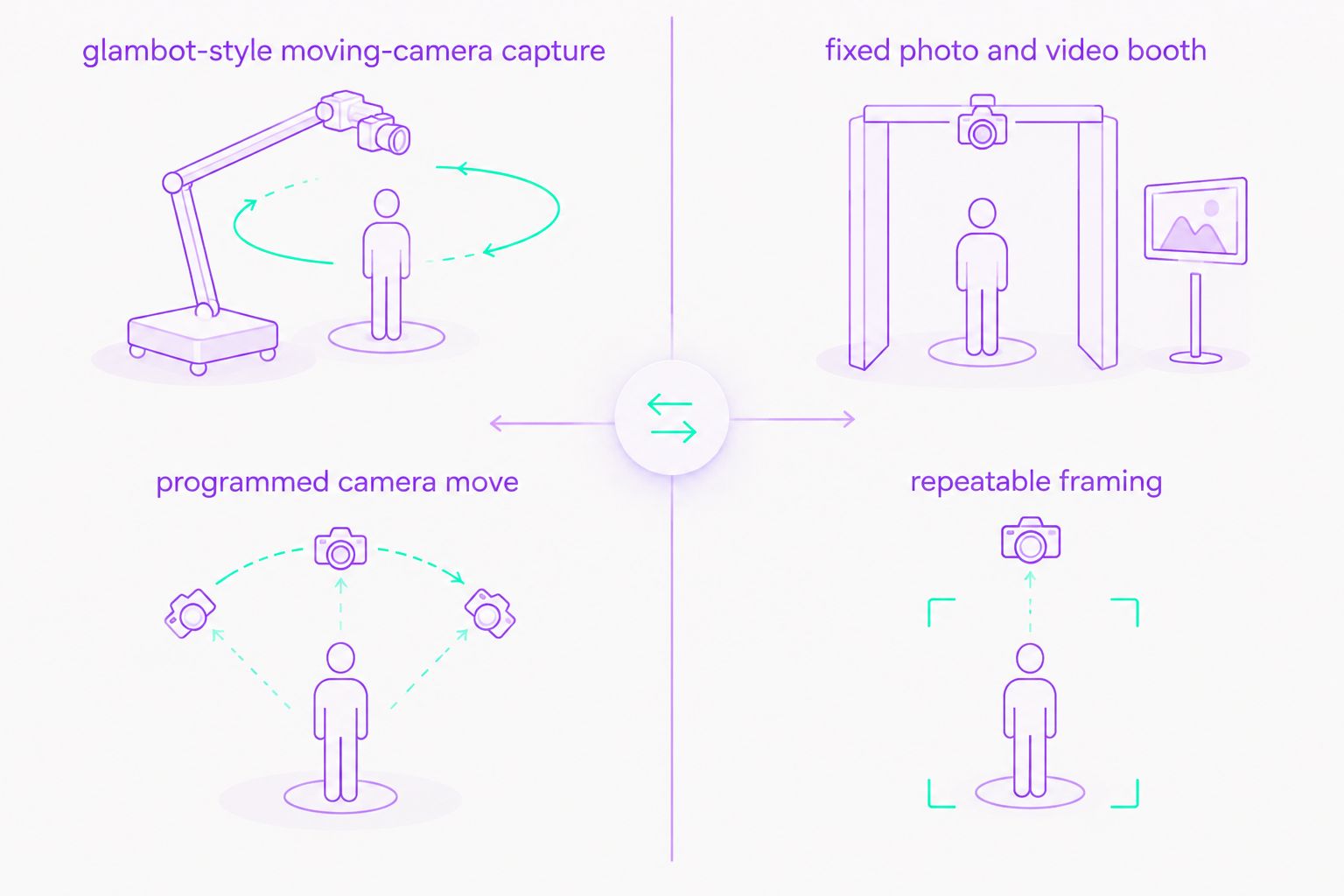
The camera movement changes both the footage and the operating plan.
common mistakes restaurants and bars make
booking a visual effect without a venue plan
A sample clip shows the result, not the space needed to produce it. Approve the operating area with the venue manager before committing to the format. Include the queue and guest exit, not only the camera position.
placing the activation beside a service bottleneck
The bar, host stand and kitchen entrance already have jobs. Adding a waiting line beside them creates competing traffic. Give the activation a defined area and keep staff routes separate from guest posing positions.
treating content delivery as an afterthought
A finished clip is not the same as a completed guest experience. Decide how guests receive content, who handles problems and what permission is required before the event. Test the full journey, not just the recording.
asking one setup to cover the whole campaign
Directed guest capture and roaming event coverage serve different purposes. Specify both if you need both. Do not assume a booth operator will also document speeches, food service, sponsor interactions and the room.
FAQ
What's the best glambot rental for restaurants and bars?
The best fit is the service that delivers your approved shot within the venue's operating constraints. Compare sample footage, camera movement, staffing, guest flow and delivery before selecting a supplier.
Does Hypno provide the exact glambot setup my restaurant needs?
Confirm the exact setup directly with Hypno before booking. Hypno offers branded instant photo and video capture technology and content capture services; a specific robotic-camera configuration needs written confirmation.
Can a glambot activation run while a bar stays open?
Only approve live-service operation after the venue and supplier agree on a separated capture area. Camera movement, waiting guests and cables must stay clear of service routes and emergency access.
Is a 360 video booth the same as a glambot?
No. A 360 video booth uses an orbiting viewpoint, while a glambot-style setup uses a programmed camera move; request representative footage and an operating plan for the exact equipment proposed.
What should an agency include in a quote request?
Include the event date, location and a clear creative brief. Add venue access, the intended shot, branding requirements, guest journey, delivery expectations and any service restrictions.
How do we choose a provider for Los Angeles or NYC?
Use the same production brief for every provider and confirm service at the exact venue. Whether your search is photo booth rental los angeles or photo booth nyc, a city keyword does not establish a supplier's local staffing, access arrangements or available configuration.
one last thing
For your next 2026 activation, rehearse the exit before polishing the entrance. The guest who has finished filming still needs to collect belongings, receive content and rejoin the room without crossing the next take. A clear exit belongs in the creative brief, not just the floor plan.
related guides