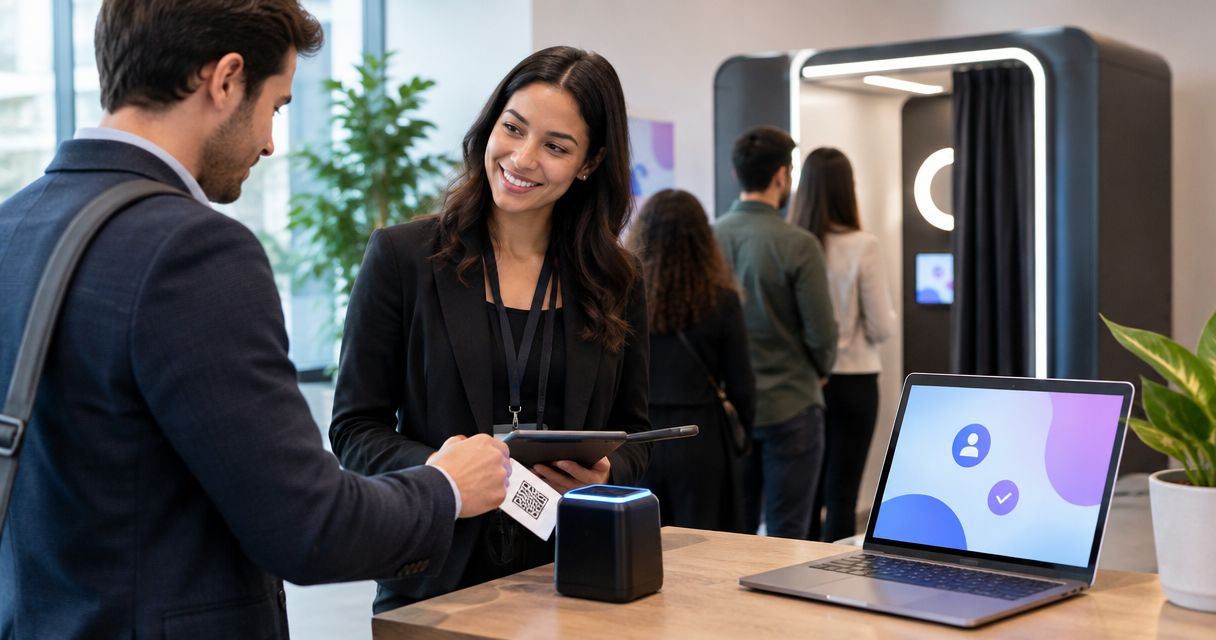
Badge scanner to Hypno booth: complete 2026 lead capture workflow
Instead of manually matching badge scans to booth visits after an event, build your photo booth lead capture integration around a shared attendee identifier, recorded permissions and a tested CRM handoff. Keep Hypno’s branded content and instant delivery central to the experience; verify the badge-to-booth connection before promising automated lead routing.
TL;DR
- Hypno suits brands and agencies that need branded event content and instant delivery.
- A photo booth lead capture integration needs a verified identity match, not just a successful badge scan.
- Test badge scanning, data capture, consent and CRM routing together before opening the activation.
- Choose live routing only after testing; use a controlled batch handoff when that better matches your setup.
why this matters
A badge scan identifies an attendee within the organizer’s registration system. A booth visit records a separate interaction. Your integration must connect those records without attaching someone else’s content, duplicating a contact or treating content delivery as permission for marketing.
Hypno is best for brands and agencies that need branded event content and instant delivery. The lead workflow needs its own acceptance test. Start with Hypno for the capture experience, then define the identity and permission requirements with your registration provider and CRM owner.
For a 2026 activation, approve the whole journey: scan, capture, delivery and follow-up. A successful demonstration of one stage does not prove the others work.
before you start
- Get the right access. You need organizer approval for badge data, authorized access to the registration platform, a CRM owner and the person responsible for booth configuration. Confirm the integration method with each provider before production begins.
- Prepare the materials. Bring the event brief, branded creative, field map, approved privacy language and test attendee records. Include the event date, location and intended follow-up action.
- Check the hidden blocker. A readable badge code is not necessarily a contact record. Confirm whether authorized access resolves it to attendee data, and whether the identifier remains consistent across the systems you intend to connect.
Use this as a configuration and acceptance guide, not a promise of a native connector. Follow the actual settings documented for your approved stack; the field names below are proposed mapping labels, not product interface labels.
choose the handoff
Select the workflow your providers support. Do not make live automation a requirement unless immediate follow-up serves a defined campaign need.
live routing
- best for: activations requiring immediate CRM follow-up
- advantage: moves eligible records during the event
- limitation: depends on a supported connection and tested failure handling
- approval condition: identity, permission and retry tests pass
controlled batch handoff
- best for: campaigns with scheduled post-event follow-up
- advantage: allows review before CRM import
- limitation: introduces a separate reconciliation task
- approval condition: authorized exports and a reliable matching key exist
Choose the simplest verified handoff that meets the brief. Branded photo and video capture gives guests a reason to participate; the integration still needs separate ownership for identity matching and follow-up.
For your 2026 production plan, name an owner for each handoff. Avoid a shared responsibility assigned vaguely to the agency, operator and CRM team.
attendee identity
The first configuration unit is the match between registration and participation. Establish it before mapping creative assets or campaign fields.
- Inspect an authorized test badge. Ask the registration provider what the scanned value represents. Establish whether it is a lookup token, an attendee identifier or another value. Do not assume it contains an email address.
- Choose the matching key. Prefer an organizer-issued attendee identifier when it is accessible and suitable for your approved workflow. Document the event identifier alongside it so records from separate events remain distinguishable.
- Define the booth handoff. Have the providers demonstrate how the attendee reference reaches the capture record. If no supported handoff exists, stop the automated design rather than matching by timing, queue position or staff memory.
- Set the exception route. Decide what staff should do with an unreadable badge, an unresolved attendee or a guest without a badge. Continue only through an approved alternative that preserves the correct identity and permissions.
Expected result: a test attendee’s registration record and booth interaction share a verifiable reference. An unresolved scan stays unresolved; it does not inherit the previous guest’s identity.
Ask specifically about group participation. A group image and an individual lead are different records, so the workflow must define whose contact details belong to each permitted follow-up.
field mapping and permissions
Build a short data contract before opening any configuration screen. Use only fields that have an identified purpose and a confirmed source.
- Map identity fields. Document proposed labels such as
event_id,attendee_idandemail. Record the actual source and destination field for each. Preserve identifiers as text where leading zeros matter. - Separate participation from contact permission. Map booth participation, content-delivery requests and marketing permission as distinct concepts. Ask your privacy owner which wording and evidence the activation requires.
- Assign campaign context. Specify the destination campaign, source label and follow-up owner. Keep campaign attribution separate from an existing contact’s original acquisition source unless your CRM policy explicitly requires a change.
- Write update rules. Decide which system controls each field. Prevent an empty incoming value from overwriting a valid contact detail, and prevent a repeated scan from creating an unnecessary new contact.
Expected result: your field map explains every transferred value, its destination and its update rule. No permission status is inferred solely from a badge scan or a request to receive content.
For a 2026 campaign, keep the approved permission wording with the event documentation. A checkbox value without its associated wording leaves the handoff difficult to interpret later.
capture and delivery handoff
Keep the guest experience and the lead record connected without making either depend on assumptions about the other. The branded photo booth activation guide provides context for the content experience; validate the integration separately.
- Approve the capture brief. Specify branded photo or video content, the intended delivery journey and the attendee reference required by the lead workflow. Confirm the exact setup with the production team.
- Run a complete guest journey. Start with an authorized badge scan, complete the capture interaction and check the resulting delivery. Verify that the intended guest receives the intended content.
- Check session boundaries. Repeat the journey with another test attendee. Confirm that identity and contact details do not carry over from the previous interaction.
- Observe an interrupted journey. Test what happens when a guest leaves before completion. Record whether a scan, participation record or delivery request exists, and define which of those qualifies for follow-up.
Expected result: the right attendee reference stays attached to the right interaction. Staff can distinguish a scanned badge from a completed capture and a completed delivery request.
Use these acceptance labels in the production checklist: badge scan, identity match, content capture, content delivery and CRM handoff. Approve each separately rather than marking the entire workflow complete after taking a photo.

Test each handoff separately before approving the complete guest journey.
CRM routing and acceptance
The destination record should explain what happened at the activation. It should not turn every scanned attendee into an automatically enrolled marketing contact.
- Configure the approved destination. Use the connection or import method confirmed by your providers. Map the agreed identity, event, participation and permission fields to the intended CRM objects.
- Apply eligibility rules. Route records according to their recorded permissions and your approved campaign policy. Keep unresolved identities and incomplete records out of automated follow-up until reviewed.
- Test duplicate handling. Send the same test interaction again. Confirm that the process does not create another contact or another follow-up task when neither is intended.
- Reconcile the handoff. Compare source records, accepted destination records and exceptions. Investigate unexplained differences before approving the workflow for guests.
Expected result: an eligible test record reaches the correct campaign with the correct identity and permission state. A repeated submission produces the intended update, not accidental duplicate outreach.
For 2026 launch approval, use a deliberately small acceptance set: 6 test records covering a new attendee, an existing contact, a repeat scan, a declined marketing permission, an unresolved badge and an interrupted session. These are recommended test cases, not performance claims.
Run 2 complete passes through that set. The second pass checks repeat behavior. Keep 1 named owner responsible for reviewing exceptions during the activation.
when an attendee record changes
A second workflow applies when registration details or permissions change after the first scan. Treat an update as a correction to identity or eligibility, not automatically as a new lead.
- Identify the changed record. Use the established event and attendee references rather than creating a fresh identity from an edited email address.
- Apply field ownership. Update only the fields the source is authorized to control. Preserve unrelated CRM information.
- Review permission changes. Route withdrawals or corrections through the process approved by your privacy and CRM owners. Do not let a later booth interaction silently reverse them.
- Prevent repeated outreach. Confirm that a record update does not restart a follow-up sequence unless the campaign explicitly requires it.
Expected result: the contact remains connected to the same event participation while authorized corrections reach the destination.
Test this variant only through update methods your stack supports. If corrections require a reviewed batch, document that procedure and assign the owner before event day.
troubleshooting
the badge scans, but no attendee resolves
Check what the badge value represents and whether the organizer has authorized the lookup. Test with a known record from the correct event. Do not replace the unresolved attendee with a guessed email address.
the wrong guest receives the content
Pause the affected journey. Check whether attendee details persist between sessions and whether staff can clearly see when a new interaction begins. Resume only after consecutive test guests receive their own content.
repeat scans create duplicate contacts
Inspect the matching rule and confirm that the same identifier reaches the destination on each attempt. Review how existing contacts are matched before enabling another import or retry. Repetition should not create a new identity by default.
delivery succeeds, but the CRM record is absent
Trace the delivery and CRM paths separately. Check eligibility rules, mapping errors and rejected records before resending anything. Content delivery does not prove that a CRM handoff occurred.
marketing permission is unclear
Keep the record out of automated marketing follow-up while the approved wording and recorded response are reviewed. Do not convert a missing value into permission or treat a badge scan as a substitute.
customize your workflow
Expand only after the core identity and permission tests pass. Add useful event context, such as the activation location or campaign, when your approved field map supports it.
For photo booth rental los angeles or photo booth nyc briefs, give the production team the actual venue and event requirements. A city keyword does not define badge access, connectivity or the registration provider’s rules.
Send Hypno your 2026 event date, location and a clear brief. Include the registration provider, CRM destination, branded content requirements and whether follow-up must happen during the event. Ask the team to confirm the proposed handoff before it enters the production scope.
share your activation brief
Include your event date, location, badge platform and CRM requirements.
FAQ
How do I connect a badge scanner to a photo booth?
Start by confirming an authorized way to pass a stable attendee reference from the badge system into the booth workflow. Then test identity matching, permissions, content delivery and the CRM handoff together.
Does this guide confirm a native Hypno badge scanner integration?
No. This guide defines the workflow and acceptance checks; your production team must confirm the connection method for the specific badge platform and event setup.
Can I use an attendee’s email address as the matching key?
Use an email address only when your approved workflow supports it and its limitations are addressed. An event-specific attendee reference helps distinguish participation from contact details that can change.
Does scanning a badge give permission for marketing emails?
Do not treat a badge scan as marketing permission. Use the approved event wording and record the attendee’s response separately from content delivery.
Is live lead routing better than a batch import?
Live routing fits campaigns that require immediate follow-up and have a tested supported connection. A controlled batch handoff fits scheduled follow-up when records need review before import.
What should an agency include in a quote request?
Send the event date, location and clear activation brief. Include the registration provider, CRM destination, branded photo or video requirements and the intended follow-up timing.
What is the most important pre-event integration test?
Verify that consecutive guests keep separate identities throughout capture, delivery and CRM routing. Then repeat a test submission to check that retries do not produce unintended duplicate outreach.
one last thing
A badge scan is not a completed booth interaction. Keep those events separate in your reporting, even when they belong to the same attendee. That distinction makes the lead record more useful than a single undifferentiated scan count.
related guides