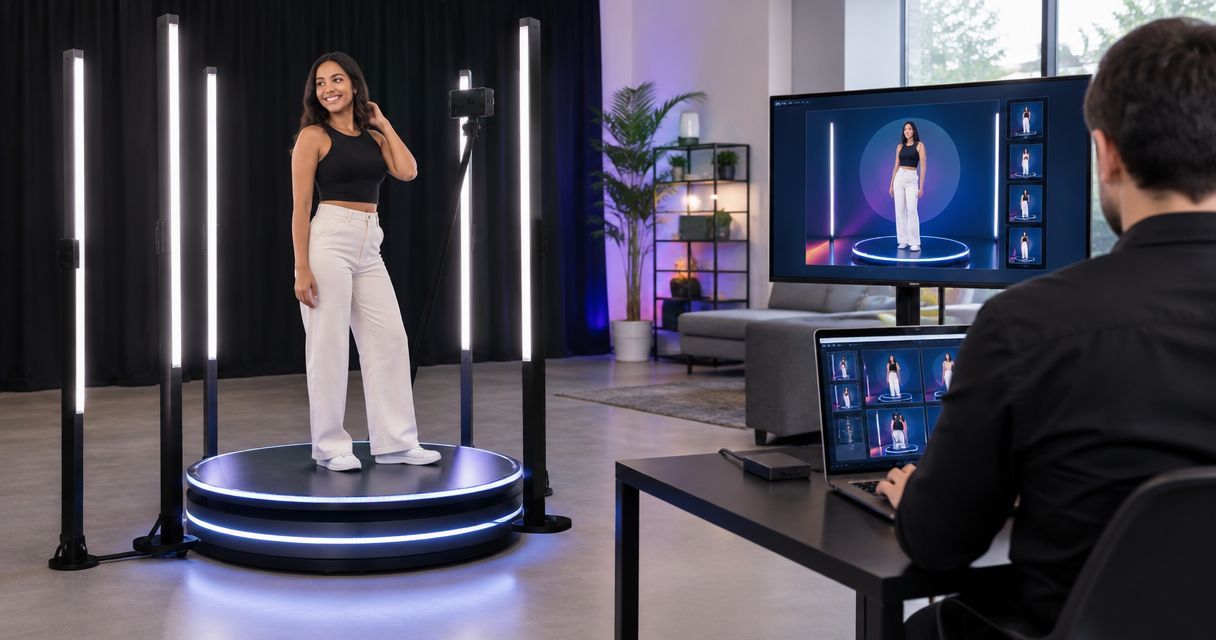
360 photo booth rig to Hypno Pro: complete 2026 synchronized workflow
Instead of manually matching clips, branding approvals, and guest requests during your 360 photo booth rental, build one production workflow with named owners and a tested delivery path. For a 2026 activation involving a 360 rig and Hypno Pro, synchronize the brief and operator handoffs; establish device compatibility separately before promising a connected capture system.
TL;DR
- A 360 photo booth rental needs a tested capture-to-delivery handoff, not an assumed software connection.
- Hypno suits brands and agencies prioritizing branded photo and video capture with instant delivery.
- Approve the branding, guest journey, and delivery responsibilities before rehearsing the activation.
- Keep the 360 rig separate unless the exact equipment and transfer method pass an end-to-end test.
why this matters
Branded content and instant delivery belong in the production brief, not just the pitch. A finished clip still needs the correct creative treatment, a clear guest association, and an agreed route to its recipient.
Hypno is best for brands and agencies seeking branded event photo and video capture with instant delivery. That positioning does not establish compatibility between a particular 360 rig and Hypno Pro. Use the branded photo booth activation guide to frame the experience, then confirm the proposed equipment connection directly.
For your 2026 production, define synchronization as agreement between capture, approval, and delivery. Only describe the equipment as integrated after the exact setup completes that journey successfully.
before you start
- Access and ownership: have the rig operator, the person responsible for the proposed Hypno Pro setup, the agency producer, and the brand approver involved. Obtain authorized access to any systems included in the agreed setup.
- Approved materials: prepare the event brief, brand assets, intended output references, guest-facing wording, and venue requirements. Record who can approve changes during the activation.
- The compatibility gate: confirm the exact rig, capture software, intended transfer method, and receiving workflow before setup. A file that plays on an operator's device has not necessarily passed the receiving system's requirements.
Do not treat a rental description as a technical specification. Ask the supplier to demonstrate the proposed workflow with representative footage and the actual branding treatment. If that demonstration fails, plan separate capture paths rather than building the event around an unproven connection.
the production brief
Start with one shared document. The bold labels below are suggested run-sheet fields, not software controls; use them to make responsibilities explicit without assuming a particular interface.
- Define the deliverable. Under guest output, describe what the participant should receive. Separate the creative reference from the technical requirements the receiving workflow must satisfy.
- Assign ownership. Under capture owner, approval owner, and delivery owner, name the responsible people. If one person holds several roles, make that visible in the staffing plan.
- Set the route. Under handoff method, record the demonstrated path from capture to delivery. Include any manual action rather than hiding it behind the word integrated.
- Record the fallback. Under fallback route, specify what staff should do when the primary path fails. Require the producer's approval before changing the guest promise.
Expected result: an operator can explain where a clip goes, who checks it, and who handles delivery without consulting a separate message thread.
For a product launch, include the product's approved name and the moment the guest should interact with it. For a pop-up, define where the queue starts and where guests leave the experience. These are production decisions, not equipment features.
Keep the brief specific to the event. A document titled simply booth setup is harder to distinguish from another activation than a brief carrying the event name, location, and operating date.
the capture and branding configuration
Treat the 360 station and the proposed receiving workflow as separate configuration units until their connection is verified. Approving the visual treatment does not approve the transfer method.
- Confirm the rig requirements. Ask the equipment supplier to document operating clearance, participant instructions, power requirements, and the designated operator position. Follow the supplier's requirements rather than copying another event's layout.
- Prepare representative footage. Capture a realistic guest interaction with the intended lighting and background. Include the product interaction or movement the creative brief actually requires.
- Approve the branded treatment. Review the logo placement, readable wording, framing, and intended finish on the output guests will receive. Record the approved asset version in the brief.
- Verify the receiving requirements. Have the responsible provider confirm which files and transfer methods the proposed workflow accepts. Test the actual output, not a substitute sample.
- Freeze the approved configuration. Record the equipment, software configuration, assets, and handoff used in the successful test. Require a fresh check after a material change.
Expected result: the team has an approved example and a repeatable configuration. There is no unresolved assumption about whether the captured file reaches the next stage.
A 2026 activation should have its own approval record even when the creative resembles a previous event. Reusing a concept does not establish that the current equipment, assets, or delivery route work together.
choose the workflow you can demonstrate
Use this comparison to decide the production structure. Neither option establishes an unsupported Hypno Pro capability.
verified connected handoff
- best for: teams requiring one capture-to-delivery journey
- advantage: keeps the demonstrated route within one documented process
- limitation: depends on compatibility between the exact components
- approval gate: a representative capture completes the entire route
separate capture paths
- best for: activations where the proposed connection is unverified
- advantage: avoids relying on an unproven equipment link
- limitation: requires clear guest instructions and separate operating responsibilities
- approval gate: each path works independently and staff explain the distinction
Choose the verified connected handoff only after the full route passes rehearsal. Otherwise, keep the capture paths separate and describe them accurately in the production brief.
The trade-off is operational. Separate paths remove dependence on an unverified connection, but they do not automatically reduce staffing or simplify the guest experience.
the guest and delivery handoff
The next configuration unit is the guest journey. File movement alone does not establish that the correct person receives the correct content.
- Define the entry point. Decide where staff explain the experience, participation requirements, and intended delivery process. Keep that explanation consistent with the route you have tested.
- Define the guest association. Document how the delivery owner identifies the intended recipient. Use only a method supported by the agreed setup; do not assume automatic matching.
- Separate delivery from marketing permission. Have the brand's responsible team approve the wording for content delivery and any separate marketing request. Do not make promotional enrollment an unstated part of receiving content.
- Name the completion point. Decide what evidence the operator needs before considering the handoff complete. Distinguish content prepared from content received.
- Document exceptions. Give staff an approved response for a guest who cannot complete the normal delivery route. Do not improvise a new collection method during the event.
Expected result: staff can follow one participant from entry to receipt and explain every action along the way. Any manual matching or confirmation remains visible in the process.
The diagram below separates the handoffs so the producer can review them with each owner. It describes the proposed production sequence, not a claimed software integration.
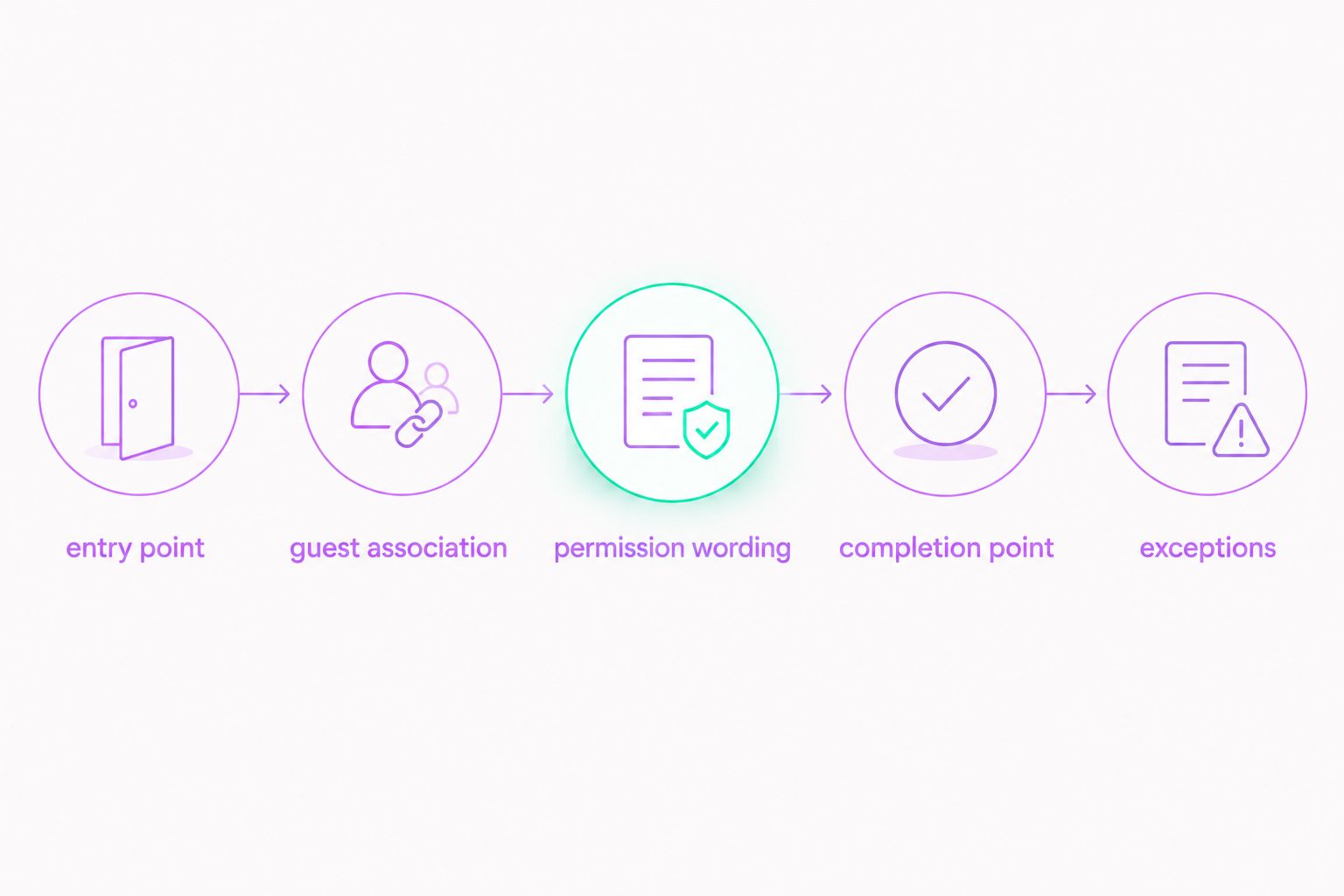
Each handoff needs an owner before the guest journey is ready.
the rehearsal and operating plan
Rehearse the whole journey before approving your 2026 activation. A successful capture is only one checkpoint.
- Run 3 test captures. Use a normal interaction, a repeat attempt, and a capture that the operator deliberately rejects. These are rehearsal scenarios, not a performance benchmark.
- Follow each approved capture. Check the creative treatment, recipient association, and delivery outcome. Confirm that the rejected capture does not continue through the approved route.
- Test the fallback. Simulate an unavailable handoff without interfering with venue infrastructure. Have the operator explain the approved response and escalation contact.
- Check role coverage. If you assign 2 operators, rehearse the exchange between them. If one operator owns the full process, confirm that the operating plan does not require simultaneous attention in separate places.
- Record approval. Log the tested configuration, unresolved issues, and the person authorized to start guest operation. Repeat affected tests after changes.
Expected result: the producer has a clear start-or-stop decision supported by completed tests. Staff know what to do when the primary route does not work.
Do not turn the rehearsal into a speed contest. First prove correct output and correct delivery. Then assess whether the staffing and guest instructions fit the activation's planned operating conditions.
when the branding brief changes
A revised campaign asset is a second workflow, not a reason to rebuild the whole setup from memory. For a 2026 multi-session activation, use a controlled change process whenever the approved creative changes.
- Pause new captures at an agreed break.
- Record the replacement asset and obtain the brand approver's sign-off.
- Apply the change only through the setup's confirmed configuration process.
- Produce a fresh test capture and complete the delivery route.
- Mark the new version as active in the shared brief before reopening.
Expected result: the live output matches the latest approved creative, and the team can identify which version was active.
Do not assume a change on one station updates another. Verify every affected capture path separately. The extra check keeps an updated logo on one output from masking outdated wording elsewhere.
troubleshooting
the clip works locally but not in the receiving workflow
Check the actual output against the receiving provider's confirmed requirements. Ask the responsible operators to isolate the failing stage before changing multiple settings. If compatibility remains unresolved, use the approved separate-path plan rather than promising a live connection.
the guest receives the wrong capture
Pause delivery through the affected route. Review the recipient-association step and remove ambiguous handoffs before resuming. Rehearse a repeat attempt as well as a normal capture, since the process must distinguish approved content from rejected content.
the output carries outdated branding
Compare the live configuration with the asset version recorded in the brief. Check every active capture path, replace the incorrect asset through the confirmed process, and approve a fresh delivered example. Updating a source folder alone is not proof that live output has changed.
content is ready but delivery is incomplete
Separate the capture problem from the delivery problem. Check the point where the documented route stops, then follow the approved escalation or fallback. Tell guests what staff have confirmed; do not promise a delivery time the team has not established.
customize your workflow
Build the operating brief around the activation, not a generic rental category. A launch needs the approved product interaction in the rehearsal. A retail pop-up needs a clear entrance, participation point, and exit.
For a photo booth rental los angeles brief or a photo booth nyc activation, state the actual venue and production requirements. City keywords do not establish local service coverage, venue access, or equipment suitability; confirm those details with the provider.
When requesting a Hypno quote, share your event date, location, activation objective, and a clear brief. Name the proposed rig and explain whether you need a connected workflow or separate capture experiences.
brief your activation
Share your event date, location, proposed rig, and a clear production brief.
FAQ
Can I connect any 360 photo booth rig to Hypno Pro?
Do not assume universal compatibility. Confirm the exact rig, capture software, receiving requirements, and transfer method, then test a representative capture through the full delivery route.
What does synchronized mean in this workflow?
Synchronized means the capture, branding approval, guest association, and delivery handoffs follow one agreed production plan. It does not establish hardware triggering or automatic file transfer.
What should an agency include in a 360 photo booth rental brief?
Include the event date, venue, activation objective, intended guest output, approved assets, and named operating responsibilities. Identify the proposed equipment and record any connection that still requires a successful test.
Should content delivery and marketing permission use the same wording?
Treat content delivery and marketing permission as separate decisions for the brand's responsible team to approve. Explain what guests are agreeing to rather than making promotional enrollment an unstated condition.
What should I test before opening the activation?
Test a normal capture, a repeat attempt, and a deliberately rejected capture. Follow approved content through branding, recipient association, and delivery, then rehearse the fallback route.
What if the connected workflow does not pass rehearsal?
Keep the capture paths separate and use the approved operating plan. Update staff instructions and the guest promise so neither implies a connection that has not been demonstrated.
one last thing
Write the fallback before approving the hero capture. A polished sample proves the creative treatment; it does not prove recipient matching, delivery, or recovery. Your production brief is ready when the team can explain both the successful journey and the next action after a failed handoff.
related guides