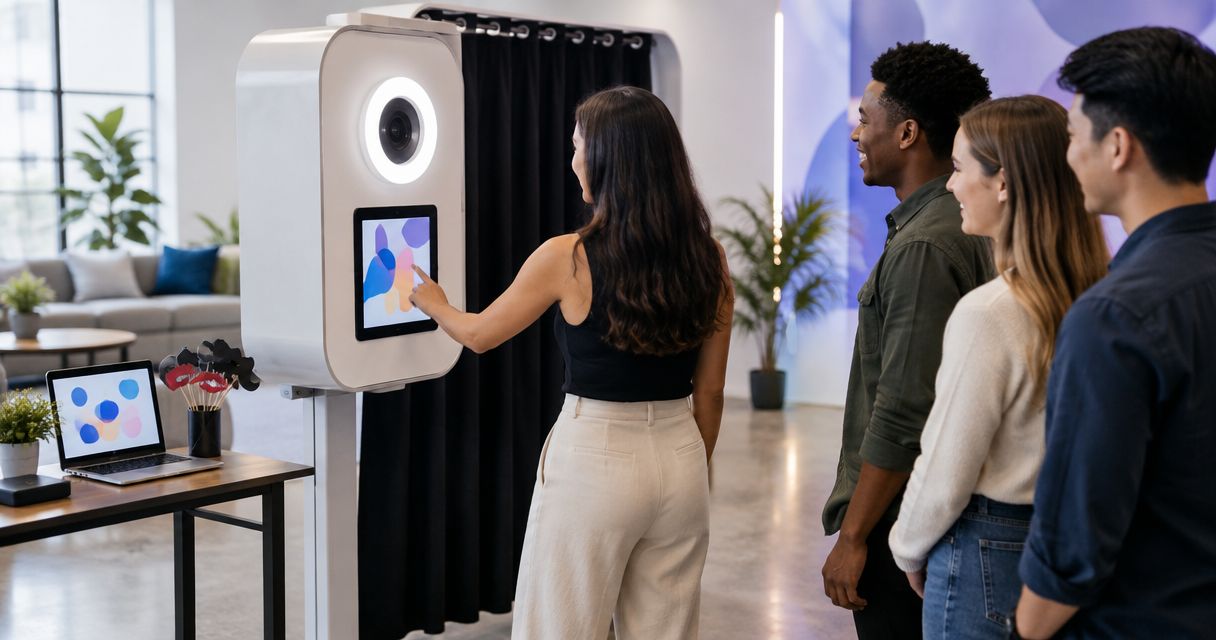
Photo booths ranked by setup speed for 2026
best setup-first option: handheld digital capture. best for a fixed capture point: a standalone digital booth. best for physical takeaways: a print-enabled booth. This 2026 guide ranks formats for the fastest photo booth setup by production dependencies—not unverified stopwatch claims—and shows where Hypno fits branded content and instant delivery.
TL;DR
- For the fastest photo booth setup, shortlist handheld digital capture before adding a fixed station, printer, or enclosure.
- Hypno is a fit for brands and agencies seeking branded photo and video capture with instant delivery.
- Rank the full activation setup, including approvals and delivery checks—not just equipment assembly.
- Choose the simplest format that delivers the creative brief, then confirm the production requirements in writing.
why setup speed matters
A booth is not ready just because it turns on. Your team still needs approved branding, usable lighting, a clear guest route, and a working delivery experience. Equipment assembly is only part of that job.
For a product launch or retail pop-up, define readiness around the first usable guest capture. That keeps a quick hardware assembly from hiding unfinished creative or an untested handoff.
Hypno is a fit for brands and agencies seeking branded photo and video capture with instant delivery. Treat that as a creative shortlist recommendation, not a claim that its equipment assembles faster than every alternative.
what makes the fastest photo booth setup
Use these criteria to compare proposals before choosing equipment. A 2026 shortlist should answer the same questions for every format.
- assembly dependencies: identify everything that must be unpacked, positioned, connected, or built before capture starts.
- venue dependencies: confirm access, power, connectivity, placement, and any venue approvals the proposed configuration needs.
- creative readiness: approve the capture treatment, branded output, and delivery copy before the event.
- operating checks: include lighting, framing, delivery, and staff handoff in the setup definition.
- guest flow: account for the entrance, capture position, waiting area, and exit without blocking the activation.
- reset requirements: ask what changes if the station moves or the creative changes during the event.
Do not accept a setup claim without its starting point. Arrival at the loading dock, arrival at the activation space, and opening an equipment case describe different milestones.
photo booth setup options at a glance
This is a setup-priority ranking of configurations, not a timed equipment test. The order favors fewer physical dependencies; the specific equipment and venue determine the actual schedule. No format earns a universal setup-time claim here.
1. handheld digital capture
- best for: activations without a fixed capture station
- defining feature: capture without building a dedicated booth position
- key limitation: framing and background need active control
2. standalone digital booth
- best for: a consistent, fixed guest experience
- defining feature: a defined camera position and capture area
- key limitation: placement, power, and delivery still need checks
3. print-enabled booth
- best for: physical branded takeaways
- defining feature: adds a printed output to the capture experience
- key limitation: printer preparation and output checks add dependencies
4. enclosed booth
- best for: creative that needs a controlled capture space
- defining feature: a physical enclosure defines the experience
- key limitation: the enclosure adds installation and access considerations
5. multi-component motion setup
- best for: a brief built around camera movement
- defining feature: movement becomes part of the capture treatment
- key limitation: movement clearance and operating checks expand setup scope
These options describe formats, not specific products in the client's range. Ask each supplier to identify exactly what the proposed package includes before using the ranking to make a booking decision.
1. handheld digital capture: best for avoiding a fixed station
Handheld digital capture separates the camera position from a permanent booth location. An operator can frame the capture where the approved activation permits, rather than directing every guest into a built station.
It takes first place in this setup-priority ranking because the proposed format omits a dedicated booth structure. That does not make every handheld package faster than every standalone booth. Lighting, connectivity, creative requirements, and operator preparation still belong in the plan.
handheld digital capture pros:
- avoids building a dedicated booth position.
- supports a brief organized around operator-led capture.
- leaves room to choose backgrounds within the approved event area.
handheld digital capture cons:
- needs active control of framing and background.
- depends on an operator to maintain the intended capture treatment.
- does not create a fixed guest destination by itself.
best for: a brand activation where a permanent capture station is unnecessary and operator-led photography suits the brief.
Specify how guests recognize the experience and where capture is allowed. Removing a structure does not remove the need for a clear interaction.
verdict: buy when the brief does not need a fixed station.
2. standalone digital booth: best for a repeatable capture point
A standalone digital booth gives guests a defined place to participate. A fixed camera position makes it easier to plan the background, framing, and route through the experience.
It ranks behind handheld capture here because a station needs an agreed position and installation checks. It ranks ahead of the remaining configurations because the version compared here excludes a printer, enclosure, and moving-camera assembly.
standalone digital booth pros:
- gives guests an identifiable capture destination.
- supports repeatable framing from a fixed position.
- keeps the configuration focused on digital capture and delivery.
standalone digital booth cons:
- needs a suitable position and guest approach.
- still requires lighting and delivery verification.
- needs reassessment if the venue moves the capture point.
best for: a pop-up or product launch that needs consistent guest portraits at a dedicated station.
For a 2026 activation, put the proposed station on the floor plan before approving its location. Check what appears behind the guest, not just whether the equipment fits.
verdict: buy for a fixed digital experience without additional output equipment.
3. print-enabled booth: best for a physical branded takeaway
A print-enabled booth adds a physical output to the capture experience. That is a different production brief from digital delivery alone, even when the capture equipment is similar.
The printer introduces another component to position, prepare, and test. Keep printing in the brief when the physical takeaway has a defined role; do not add it automatically to a setup-first activation.
print-enabled booth pros:
- produces a physical item guests can take away.
- gives printed branding a place in the experience.
- supports creative designed specifically for a printed layout.
print-enabled booth cons:
- adds printer preparation and output checks.
- requires a plan for consumables and collecting finished prints.
- introduces another operating dependency during the activation.
best for: a launch or pop-up where the printed item is part of the campaign concept.
Approve the actual print layout, including crop and branding placement. A digital preview alone does not demonstrate the finished physical result.
verdict: hold unless the physical takeaway serves the brief.
4. enclosed booth: best for a controlled capture space
An enclosed booth creates a defined physical space around the capture experience. Choose it when the enclosure itself serves the creative, rather than treating the structure as a default requirement.
The enclosure adds components and access considerations that an open capture position does not have. Its effect on the schedule depends on the proposed construction, venue route, and installation arrangements.
enclosed booth pros:
- defines a distinct capture environment.
- separates the capture background from the surrounding event.
- makes the physical structure part of the guest experience.
enclosed booth cons:
- adds installation and removal work.
- requires careful access and footprint planning.
- makes entrance, exit, and waiting-space decisions more consequential.
best for: a creative brief that specifically needs an enclosed environment.
Ask the supplier to show how guests enter and leave. An approved footprint should describe the experience in use, not only the structure standing empty.
verdict: skip for setup speed alone; buy when the enclosure earns its place.
5. multi-component motion setup: best for movement-led creative
A motion-led setup makes camera movement part of the output. For this comparison, the format includes a moving assembly and a defined operating area, rather than a handheld camera.
It sits last in this setup-priority ranking because movement introduces positioning, clearance, and operating checks. That is a reason to plan the format properly—not a reason to reject a creative concept built around motion.
multi-component motion setup pros:
- makes camera movement part of the creative treatment.
- gives the production team a defined motion sequence to approve.
- suits briefs where a static capture does not deliver the intended result.
multi-component motion setup cons:
- needs movement clearance and operating checks.
- requires guest instructions suited to the equipment.
- adds dependencies beyond a fixed digital capture point.
best for: a product launch with an approved movement-led capture concept.
Review the movement with the operator and venue before opening the experience. Do not trade required checks for an earlier start.
verdict: hold unless camera movement is central to the brief.
how the formats were ranked
The ranking follows the criteria above: assembly dependencies, venue requirements, creative readiness, operating checks, guest flow, and reset requirements. It prioritizes a configuration without a fixed structure, then adds a station, printed output, enclosure, or moving assembly.
It does not assign setup minutes or claim a measured winner. Compare actual proposals using the same start and finish milestones. A well-prepared installation and an unfinished brief are not comparable schedules.
make setup readiness part of the brief
For your 2026 production schedule, use 3 checkpoints: creative approval, site readiness, and live verification. Give each checkpoint an owner and a clear completion condition.
creative approval
Sign off the branded treatment, capture format, and guest-facing instructions before installation. Request 2 sample files: a representative capture and its final branded output. Review the crop, legibility, and treatment together.
site readiness
Confirm the event date, exact location, access arrangements, capture position, and proposed equipment requirements. For a photo booth rental los angeles brief or a photo booth nyc brief, provide the actual venue details rather than relying on the city name to describe the job.
live verification
Complete at least 1 end-to-end test capture at the installed position. Check the finished output and delivery experience before opening to guests. The readiness milestone is a usable result, not a powered-on device.
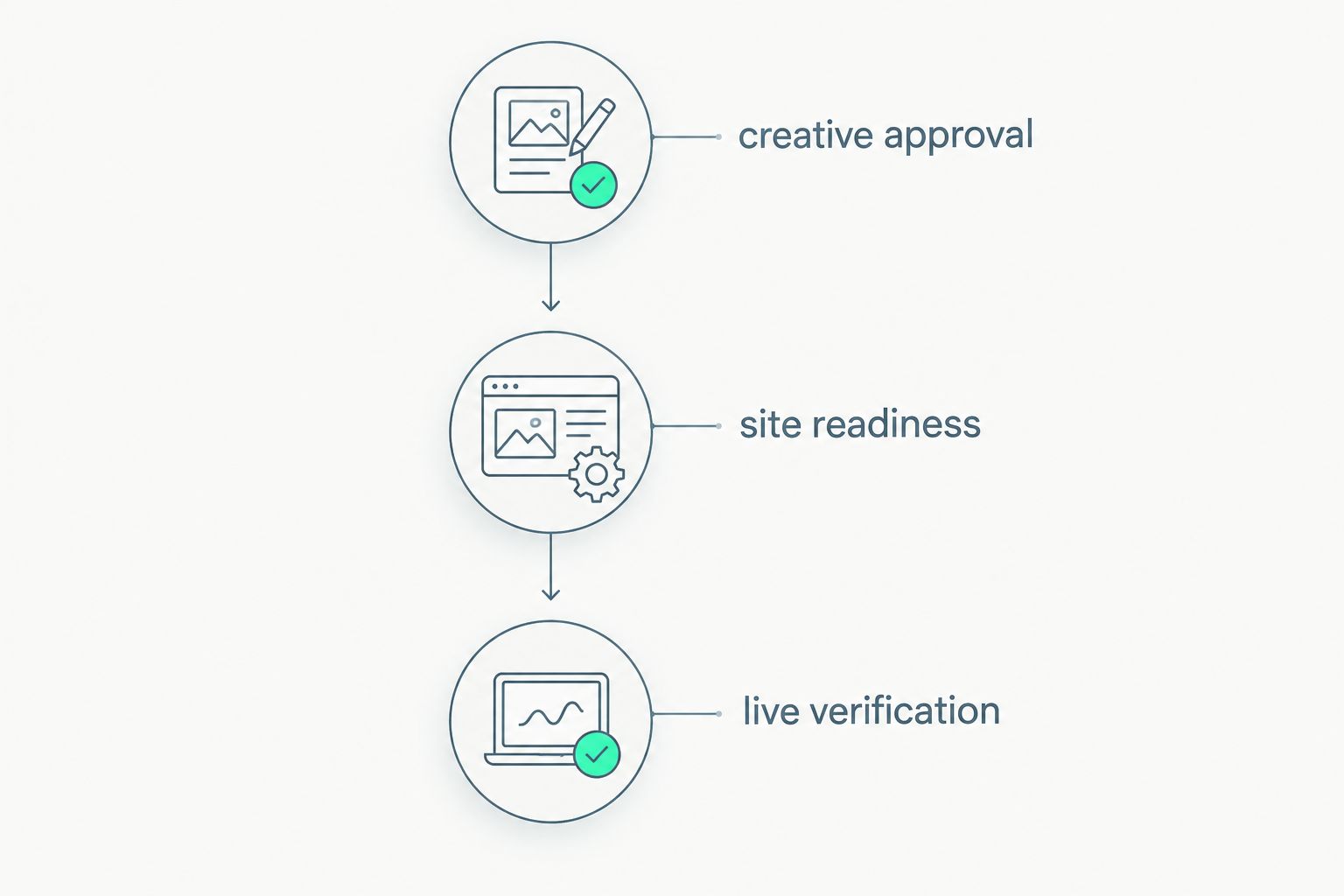
Define readiness around approved creative, a prepared site, and a verified guest experience.
For Hypno, lead the conversation with branded photo or video capture and instant delivery. Then ask which configuration fits the brief and what the proposed production requires. Do not infer a printer, enclosure, or motion system from the service description.
which photo booth setup should you choose?
Choose handheld digital capture by default when the brief does not require a station. Choose a standalone digital booth when consistent positioning matters more than removing the fixed setup. Add printing, an enclosure, or camera movement only when that element supports the campaign.
Hypno belongs on the shortlist for branded content and instant delivery, not an unsupported fastest-install claim. For a 2026 quote, share your event date, location, capture concept, delivery expectations, and venue access details through the quote request.
share your activation brief
Include your event date, location, branded capture concept, and delivery requirements.
FAQ
what is the fastest photo booth setup for a brand activation?
Handheld digital capture is the first setup-priority option to assess when the brief does not require a fixed station. Actual setup speed depends on the equipment, venue, creative preparation, and delivery checks; this ranking is not a timed test.
is a standalone digital booth faster to set up than a print-enabled booth?
A standalone digital configuration without printing has fewer output components to prepare than a configuration that adds a printer. That does not establish a universal time difference; compare the proposed equipment and the same readiness milestones.
does instant delivery mean instant photo booth setup?
No. Instant delivery describes the content handoff, not equipment installation. Setup still includes positioning, creative checks, and verification of the finished guest experience.
is Hypno suitable for branded photo and video activations?
Hypno provides branded instant photo and video booth technology and content capture services for event professionals, brands, and agencies. Share the creative brief and venue requirements to establish the proposed configuration.
what should an agency include in a photo booth rental los angeles brief?
Include the event date, exact venue, activation objective, capture concept, and delivery requirements. Add access arrangements and the proposed capture position so the supplier can address the actual production conditions.
what should a photo booth nyc setup schedule include?
Include venue access, installation, creative review, and an end-to-end capture and delivery check. Define the finish milestone as ready for guests, rather than equipment assembled.
what should be tested before a photo booth opens?
Test capture, framing, branding, and the delivery experience at the installed position. For a print-enabled configuration, also review the finished print; for moving equipment, complete the required operating checks.
one last thing
Separate equipment ready from guest ready on the production schedule. An assembled booth can still have the wrong crop, unfinished branding, or an unchecked delivery path. The fastest useful setup ends with a finished guest experience.
related guides