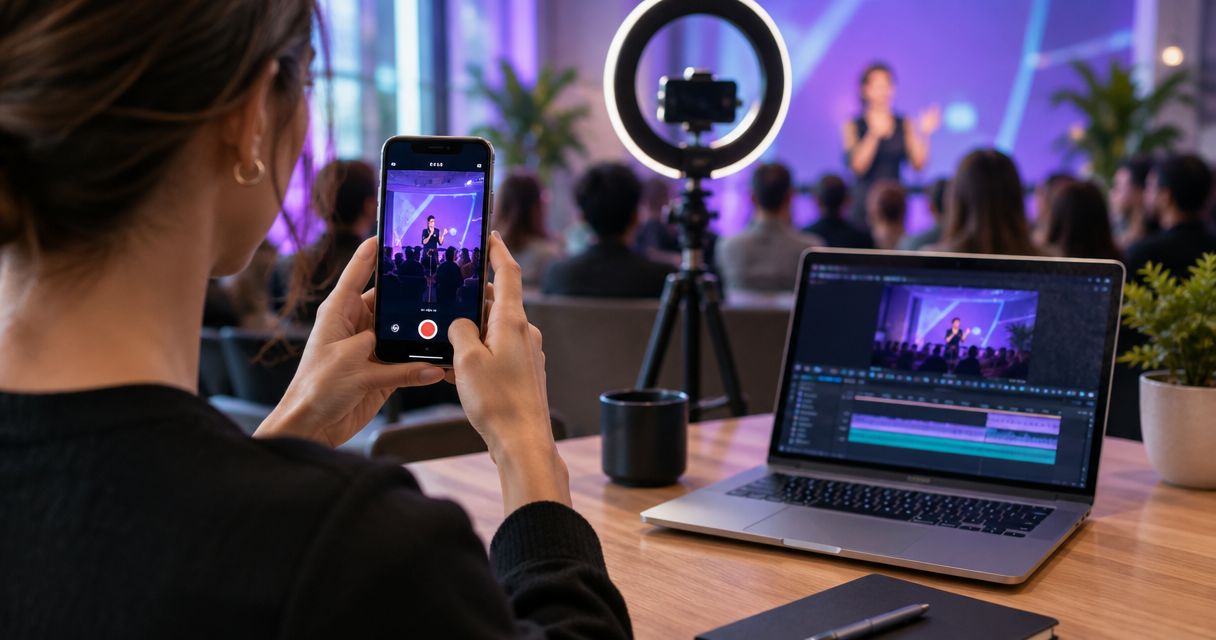
Hypno event video capture to TikTok: complete 2026 content workflow
Instead of manually chasing event clips after every activation, build your hypno tiktok content workflow around branded capture, instant delivery, and a clear publishing handoff. Use Hypno for event content capture, then review approved files and upload them to TikTok through the publishing account.
TL;DR
- Build hypno tiktok content around branded event capture, instant delivery, and a separate TikTok publishing handoff.
- Hypno event capture is best for brands and agencies producing branded activation content.
- Approve participant permissions, music rights, and the publishing owner before guests arrive.
- Test a complete capture-to-post handoff before opening the activation.
why this matters
An instant delivery moment and a published brand post are different outcomes. Your guest needs a usable clip. Your social team needs permission, context, an approved edit, and access to the right account.
Hypno event capture is best for brands and agencies producing branded activation content. Branded photos, instant delivery, and photo and video capture support the event experience; your publishing process determines what reaches TikTok.
For a 2026 product launch, define success before choosing the shot. A recognizable product interaction needs a different capture prompt from a guest reaction or a pop-up walkthrough. Keep the brief tied to the content you actually plan to publish.
before you start
- Access: assign an event capture lead, a brand approver, and someone authorized to publish through the intended TikTok account. Confirm account access on the actual publishing device.
- Materials: prepare approved brand assets, a capture prompt, participant permission language, caption direction, and music cleared for the intended use. Confirm the capture and delivery requirements with your production team.
- The gotcha: receiving a guest's clip does not establish permission for the brand to publish it. Guest delivery, brand reposting, and paid advertising need an explicit rights decision before capture.
Treat this as a production handoff, not a promise of automatic posting. The workflow below uses delivered files and a manual TikTok upload; it does not depend on a direct connection between the capture system and TikTok.
set up the content brief
define the publishing destination
- Name the TikTok account that will publish the event content. Record the account owner and the person covering publication during the activation.
- Choose the primary outcome: brand-owned posts or guest-led sharing. Use the comparison below to assign responsibility, not to force every guest into the same route.
- Write one capture prompt that makes the intended post obvious. For a product launch, ask guests to show a product interaction rather than simply stand beside a backdrop.
- Assign approval authority. Decide who can approve the image, participant use, caption, music, and publication.
brand-owned posts
- best for: launches needing approved messaging
- advantage: your team controls the edit, caption, and release
- trade-off: every selected clip needs a publishing handoff
guest-led sharing
- best for: pop-ups centered on participant expression
- advantage: guests choose how to present their experience
- trade-off: the brand does not control whether or how guests post
Do not treat guest-led sharing as guaranteed distribution. Give guests a clear invitation and usable content, then keep brand publishing independent of their decisions.
Expected result: everyone knows which account owns publication, who approves it, and what the capture prompt must produce.
write the handoff record
- Create a shared content log with fields for clip identifier, capture context, permission status, approval status, and publishing owner.
- Keep participant contact details separate from the working edit folder. Give editors the information needed to identify approved footage, not an unnecessary copy of guest data.
- Define a simple status sequence: captured, permission checked, approved, published. Only move a clip forward when its condition is met.
- Record the final post reference after publication so another team member does not upload the same edit by mistake.
These are suggested production fields, not named controls inside a capture product. Use your team's existing document or project system.
For your 2026 activation brief, write down what counts as approval. A verbal comment during a noisy event is harder to track than a decision attached to a specific file.
Expected result: the social team can distinguish a delivered clip from a publishable asset without asking the capture operator to reconstruct the event.
configure capture and delivery
frame the shot for the final screen
- Plan for a vertical 9:16 edit. A 1080 × 1920-pixel canvas is a standard full-HD vertical working format; confirm the actual source file before editing.
- Place the important action near the center. Leave room around faces, products, and brand elements so interface overlays and later reframing do not hide the point.
- Rehearse the capture prompt with the event team. Check where the participant stands, what moves, and when the recognizable product moment happens.
- Capture 3 test clips as a production check: a quiet frame, a moving participant, and the busiest lighting condition you expect to use.
The test count is a suggested rehearsal, not a capacity or performance claim. Inspect the clips rather than assuming that a successful capture means the final edit will work.
Expected result: your sample footage communicates the activation without depending on a wide crop or a long explanation.
verify the delivered file
- Run the planned guest delivery journey on a real receiving device. Confirm that the recipient can access and save the intended file.
- Open the saved file in the editing or publishing environment. Check orientation, playback, visible branding, and audio before repeating the setup with guests.
- Compare the delivered file with the approved creative. Check that the product remains visible and that branding does not obscure the participant.
- Transfer an approved sample through the same handoff your social team will use during the event. Avoid substituting a screen recording for the delivered file.
Instant delivery is the guest experience. Approval is the publishing gate. Keep both working, but do not combine them into an unchecked automatic release.

Delivery comes before publication, with permission and approval checks between them.
In the production log, use the same stage names: capture, delivery, permission check, approval, publishing. That makes the diagram a working handoff rather than a separate process to remember.
Expected result: a test recipient can save the file, and the publishing owner can locate the approved version without asking for another export.
configure the TikTok publishing handoff
prepare the approved edit
- Select the clip whose permission status matches the planned use. Keep unapproved footage outside the publishing queue.
- Trim the edit so the action starts promptly. Remove dead time that does not explain the product, participant response, or event experience.
- Add clear on-screen context where needed. A viewer who did not attend should understand what is happening without reading an internal campaign brief.
- Review text, branding, and music together. Music permitted for one use is not automatically cleared for every commercial or advertising use.
For the 2026 campaign record, keep the approved export alongside the caption and rights decision. That gives the next shift a complete publishing package instead of a folder full of nearly identical clips.
Expected result: the publishing owner receives one approved edit with matching caption direction and permission status.
upload and verify the post
- Open TikTok on the authorized publishing device and confirm the intended account. Tap +, then Upload, and select the approved video.
- Use Next to continue through the editing screens. Review the crop and sound in the app; do not assume the preview matches your editing canvas exactly.
- Add the approved caption and review the audience and interaction settings shown for that account. Check any applicable commercial content disclosure requirements before publication.
- Tap Post only after the final review. Open the published post and check playback, caption, account identity, and visible framing.
TikTok's available controls depend on account, region, and app version. If the upload entry appears differently, use the device's media-selection route; the approval gate stays the same.
Expected result: the intended account contains the approved post, and the content log records what was published.
publish follow-up edits after the event
A second workflow starts when the event ends: turn approved capture into a planned follow-up edit rather than another live post. This is best for recaps, product-interaction sequences, and campaign reporting content. The advantage is more editing control; the trade-off is another review cycle.
- Filter the content log to clips cleared for the intended follow-up use. Do not assume approval for a live event post covers a later advertisement.
- Group footage by story: product interaction, guest reaction, or activation atmosphere. Select a group before building the edit.
- Create the new sequence and repeat the caption, music, permission, and brand review. A new edit is a new publishing decision.
- Assign a publishing owner and record the final version. Keep the original approved clips intact.
Separate capture success from transfer readiness. When files must move from event capture into a remote editing team, camera-to-cloud upload speed belongs in the production plan because the editor cannot start reviewing a file that has not arrived. Test the actual handoff and connection rather than assuming the venue's general internet access proves the workflow.
For a 2026 multi-day activation, repeat that check when the production location or transfer method changes. Keep the live-post queue separate from the follow-up edit queue so neither team mistakes an unfinished sequence for an approved asset.
Expected result: the event produces a controlled follow-up queue without reopening every file or relying on the capture operator's memory.
troubleshooting
the clip looks right locally but wrong in TikTok
Return to the approved file and compare it with the in-app preview. Check orientation, crop, and text placement before changing the capture setup. Reframe the edit if the interface covers the key action; do not solve a publishing crop problem by rebuilding the entire activation.
the guest received content, but the brand cannot publish it
Check the permission record. Delivery confirms access to a file, not authorization for brand use. Hold the clip outside the publishing queue until the responsible approver confirms the intended use.
the publishing team cannot find the approved version
Match the content log's clip identifier to the file in the handoff folder. Remove ambiguous working copies from the publishing queue and mark the approved export clearly. Keep drafts elsewhere so the person posting does not have to guess.
the sound is unavailable or unsuitable
Review the music rights for the account and intended use. Replace the track with audio cleared for that use, then review the timing again. Do not assume a sound's presence in an app makes it appropriate for a branded campaign.
the file has not reached the editor
Check whether the problem is file creation, delivery access, downloading, or transfer to the editor. Test each boundary separately. Confirm receipt of the actual video file before marking the asset ready for review.
customize your workflow
Give the activation a content brief, not just a booth brief. Specify the desired shot, publishing destination, approval owner, and delivery test alongside the event logistics.
If your brief starts with photo booth rental los angeles or photo booth nyc, add the brand objective immediately. A product launch needing centrally approved posts has a different handoff from a pop-up built around guest-led sharing. State which outcome matters.
For a 2026 quote request, share your event date, location, activation format, intended content, and approval requirements. Ask the production team to confirm the proposed capture and delivery setup against that brief.
brief your next activation
Share your event date, location, and content brief for a branded capture quote.
FAQ
How do I turn hypno tiktok content into a published brand post?
Capture the event video, verify the delivered file, approve its intended use, and upload the approved edit through your brand's TikTok account. Keep participant permissions, music review, and final publication as explicit handoff stages.
Does this workflow automatically post event videos to TikTok?
No. This workflow uses a manual file handoff and TikTok upload rather than relying on a direct publishing integration. Assign an authorized publishing owner before the event.
What video shape should I plan for?
Plan for a vertical 9:16 edit and test the delivered source file before the activation. A 1080 × 1920-pixel canvas is a standard full-HD vertical working format, not a statement about the capture system's output.
Can the brand repost every video delivered to a guest?
Guest delivery alone does not establish permission for brand reposting. Confirm that the participant permission covers the intended publication, and review paid use separately.
Should guests post or should the brand publish?
Use brand-owned publishing when approved messaging is the priority, and guest-led sharing when participant expression is the priority. Guest-led sharing does not guarantee a post, so keep the brand's publishing plan independent.
What should an agency include in an event capture quote request?
Include the event date, location, activation format, content objective, and publishing requirements. Tell Hypno whether the brief prioritizes brand-owned edits, guest-led sharing, or both, and identify the approval owner.
one last thing
Rehearse publication, not just capture. A successful test ends with the right person holding the approved file, caption, and permission record on the intended publishing device. A clip playing on the capture screen proves only the first part works.
related guides