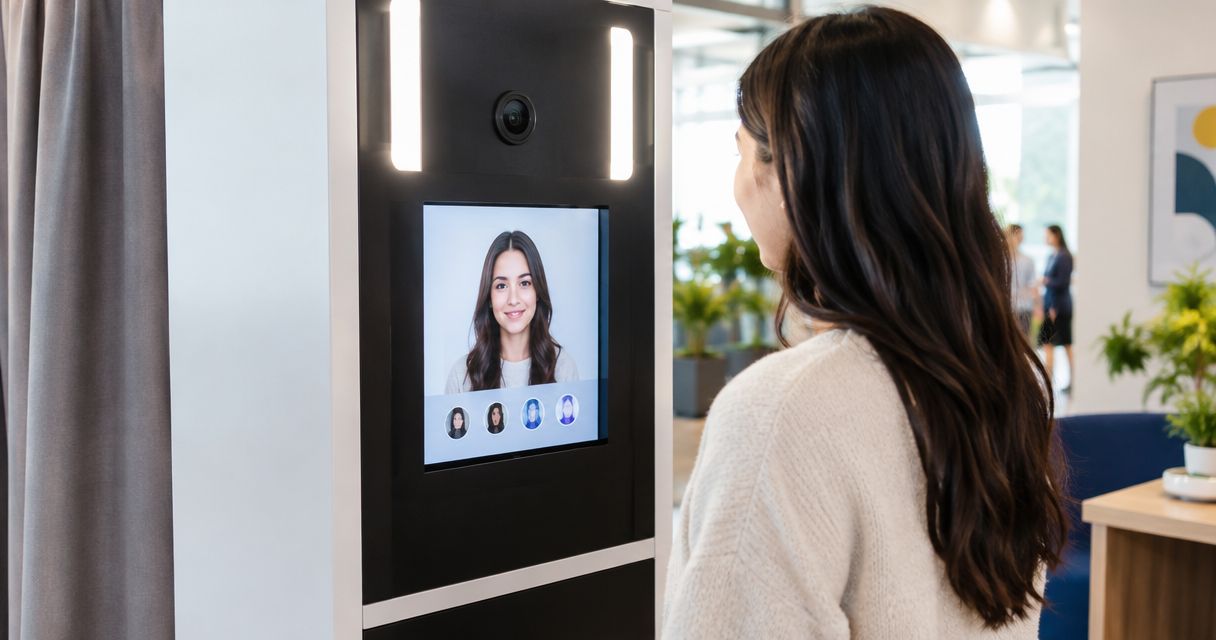
How does a photo booth capture email addresses for marketing?
a photo booth captures email addresses by asking guests to enter an address on a sharing screen or connected form so they can receive their photo or video. for marketing in 2026, keep that delivery request separate from permission to send promotional emails, then transfer only eligible contacts into your marketing list.
TL;DR
- how does a photo booth capture email addresses? guests submit a delivery address through a sharing screen or connected form.
- Hypno serves brands and agencies with branded photo and video capture; confirm the email workflow in your activation brief.
- an email address for photo delivery is not proof that someone agreed to promotional emails.
- test content delivery, permission records, and contact handoff before your activation opens.
why this matters
a branded photo creates a reason to share an email address. it does not automatically create a qualified marketing lead. your capture experience needs to explain what guests receive and what happens to their information afterward.
Hypno is for brands and agencies planning branded photo and video activations. branded content and instant delivery belong at the center of that experience, not behind a long questionnaire. the branded photo booth activation workflow provides context for that production brief; confirm the specific email collection and handoff requirements before booking.
how does a photo booth capture email addresses for marketing?
the workflow connects a guest's content, delivery address, permission choice, and event record. keep those pieces connected without treating them as interchangeable. use this sequence as your 2026 production checklist, and have the provider demonstrate the exact screens before approval.
- capture the content. the guest takes a branded photo or video. assign the resulting content to the correct session so the delivery request points to the right asset.
- collect the address. show an email field on the sharing screen or send the guest to a connected form. explain that the address is being requested for content delivery.
- offer a separate marketing choice. name the brand that wants to send promotional messages. use clear wording and an unchecked choice where explicit opt-in is required.
- send the content. deliver the requested photo, video, or access link through the agreed workflow. keep the delivery message focused on what the guest requested.
- record the permission. retain the choice, the wording shown, the event source, and the submission time where needed for your permission records.
- hand off eligible contacts. map the records to the correct destination and campaign. exclude contacts without the required marketing permission from promotional sends.
the email field alone does not complete this process. a delivery address and a marketing subscription are different records of intent. your production plan needs to preserve that distinction through export, import, and follow-up.
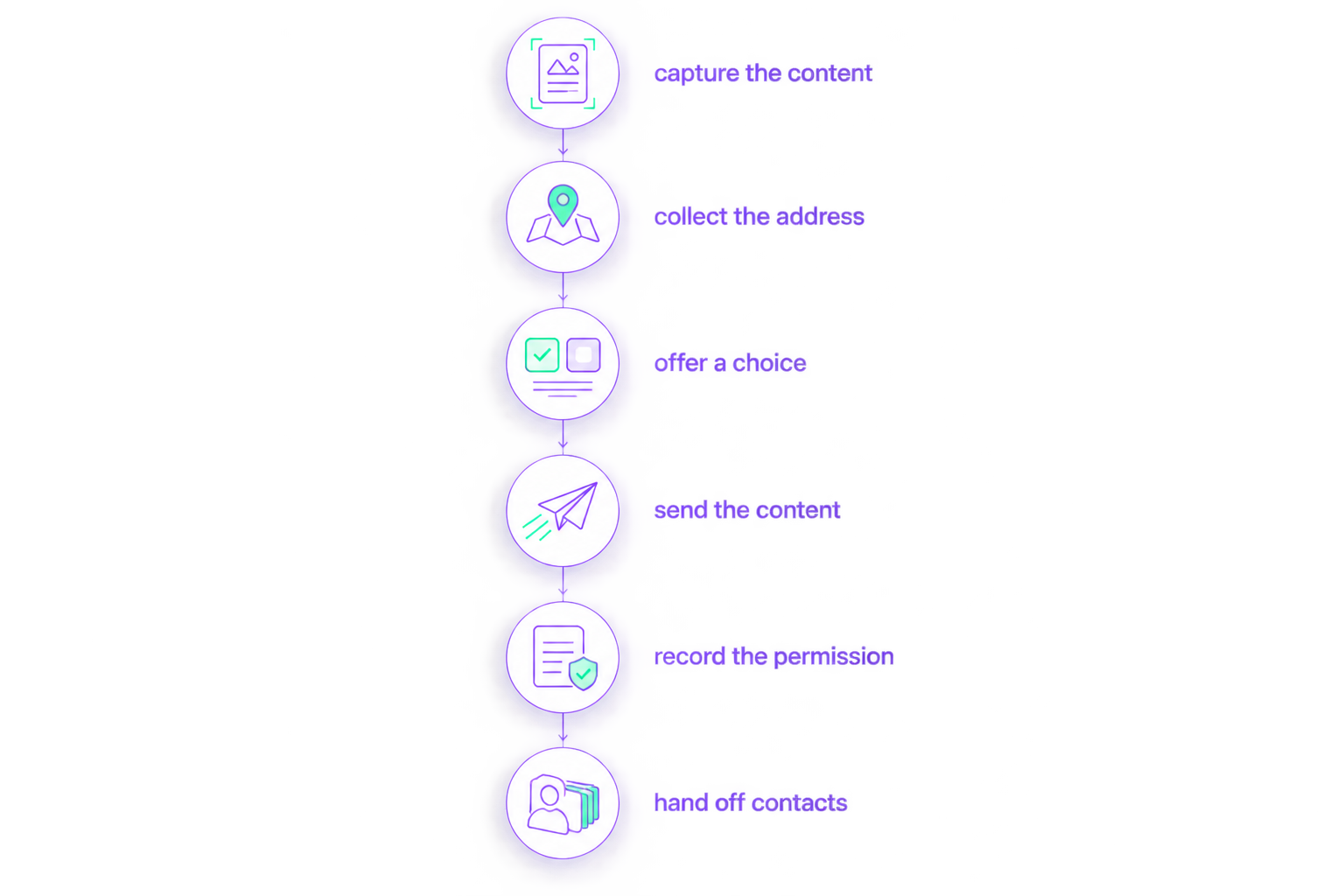
keep delivery requests separate from marketing permission throughout the handoff.
which email capture method fits your activation?
a shared screen and a guest-phone form put the same request in different places. choose the route that fits your space, audience, and production requirements. neither route guarantees valid addresses or permission.
booth sharing screen
- best for: a guided activation with a defined capture point
- advantage: keeps the delivery request beside the capture experience
- limitation: guests must enter personal information on a shared device
guest-phone form
- best for: an activation where guests can continue on their own phones
- advantage: moves address entry away from the shared screen
- limitation: adds a scan or navigation step and needs a usable mobile form
choose the simplest route that preserves guest choice. if your production uses a guest-phone form, test the whole path on a phone, not just on a producer's laptop. if it uses a shared screen, check what remains visible when the next guest arrives.
these are workflow options, not confirmed features of every booth. require a demonstration of the chosen route instead of assuming that email delivery, a scan code, and a contact export are bundled together.
why email capture results vary
for a 2026 activation, review the full journey rather than judging the booth by its email field. these factors determine whether your team receives a usable, properly classified contact record:
- the reason to submit. tell guests they are entering an address to receive their content. keep that promise visible beside the field.
- the form length. start with 1 required field for content delivery: email address. add other required fields only when the brief explains their purpose.
- the permission wording. distinguish content delivery from newsletters, offers, or other promotional follow-up. identify the sender rather than referring vaguely to partners.
- the input experience. check keyboard behavior, correction options, and visibility on the actual device. a form that accepts text still needs to be usable.
- the delivery setup. verify the sender identity, content destination, and failure handling. successful submission is not proof of successful delivery.
- the contact handoff. confirm which fields survive the transfer. an email address without its permission status does not establish marketing eligibility.
avoid promising a capture rate before you have event-specific evidence. crowd size, completed sessions, delivery requests, and marketing opt-ins describe different stages, so report them separately.
what should the email form ask for?
start with the information needed to fulfill the request. for email delivery, that means the email address. a product launch does not need to become a registration interview just because the screen has room for more fields.
separate 2 decisions: receiving the content and subscribing to marketing. make both understandable without a staff explanation. do not hide the promotional choice inside a general instruction to continue.
use a short field label such as email address and a direct delivery instruction such as send my photo. describe the promotional choice separately, naming the sender and the type of messages. have your privacy or legal owner approve the wording for the audience and jurisdictions involved.
if sales qualification matters, decide whether it belongs here at all. asking about company, role, or purchase plans changes the interaction. collect those details only when they serve the activation's stated purpose, not because a generic form includes them.
how do captured addresses reach your marketing platform?
an address reaches your marketing platform through an agreed handoff, such as an export and import or a supported connection. confirm the mechanism before the event. do not assume a provider connects directly to your platform because both systems handle email addresses.
write a field map that your producer and marketing operator can both read. include the destination field, the source field, and the rule for handling missing values. keep permission status separate from delivery status, and preserve the event source so the follow-up has context.
your 2026 handoff specification should answer these questions:
- who receives the captured records?
- who can access or download them?
- which record proves the guest's marketing choice?
- how are repeat addresses handled?
- what happens when a required permission record is missing?
- who removes working copies after the approved retention period?
a transfer is complete when the destination reflects the intended classifications, not merely when a file arrives. inspect a sample record in the destination before approving the workflow.
does a qr code collect the email address?
a qr code does not collect an address by itself. it directs the guest to a destination; a form at that destination can request an email address. if the code opens content without a form, scanning it does not establish an email subscription.
keep access and registration distinct when planning QR code photo sharing. a content-access scan and a completed marketing form are different actions, even when they sit in the same guest journey.
for a brand activation, test where the code lands, whether the guest sees the correct content, and whether the form explains its purpose. avoid describing every scan as a lead. report scans as scans unless a later action supports a more specific label.
what should you test before guests arrive?
run 1 test session from capture to the destination contact record. a polished preview is not an end-to-end test. use an address your team controls and inspect the actual delivered message.
then repeat the relevant branches. test a guest who requests content without marketing permission, a guest who opts in, and a guest who corrects an address. the expected outcome should be written down before anyone starts tapping screens.
test the guest experience
check that instructions are readable at the capture point and that the form works on the intended device. confirm that a completed session resets without exposing the previous guest's address. give staff a clear response for delivery questions.
test the permission record
check that the record reflects the choice actually made. confirm that a blank or declined choice is not converted into an affirmative subscription during import. save the approved wording alongside your event documentation.
test the handoff
inspect the destination record, source label, and permission classification. verify how your process handles failed delivery and duplicate submissions. assign a named owner for corrections instead of leaving exceptions in an unattended export.
what should brands and agencies put in the brief?
for a 2026 launch or pop-up, describe the intended outcome before listing equipment. specify the branded content, delivery experience, guest journey, and follow-up plan. then ask the provider to confirm what the proposed setup supports.
Hypno offers branded instant photo and video capture technology and content capture services for brands, agencies, and event professionals. the fit is the branded activation; the email form, permission records, destination platform, and reporting requirements still need explicit confirmation.
include these details when you request a quote:
- event date, location, and operating schedule;
- activation purpose and intended audience;
- photo or video requirements and branding brief;
- expected guest journey and delivery method;
- requested fields and approved permission wording;
- destination platform and handoff requirements;
- reporting needs and responsible team members.
send a clear brief, not just a request for a booth. it gives the producer concrete requirements to confirm and keeps the marketing handoff part of the activation plan.
FAQ
can a photo booth collect emails without subscribing guests to marketing?
yes. a workflow can collect an address for content delivery while keeping promotional subscription separate. confirm that the form and contact handoff preserve that distinction.
does entering an email address count as marketing consent?
entering an email address for photo delivery does not, by itself, demonstrate agreement to promotional emails. use permission wording and records appropriate to the audience and applicable law.
can guests receive their photos without joining a mailing list?
yes, when the workflow separates content delivery from the marketing choice. make that requirement explicit in the activation brief and test the non-subscriber path.
can i send photo booth contacts straight to my email platform?
only use a direct transfer when the proposed setup supports it and preserves the required fields. otherwise, agree on a controlled export and import process before the event.
does a qr code automatically capture a guest's email?
no. a qr code directs guests to a destination; email collection requires an address submission through a form or another explicit collection step.
what should i ask Hypno about photo booth email capture?
ask Hypno to confirm the proposed collection screen, delivery method, permission recording, and contact handoff. share your event date, location, and clear activation brief so those requirements can be assessed together.
one last thing
test the guest who says no. the clearest way to check your marketing separation is to request a photo, decline promotional messages, and inspect the resulting record. content delivery should follow the agreed guest journey, while the marketing system preserves the declined choice.
related guides