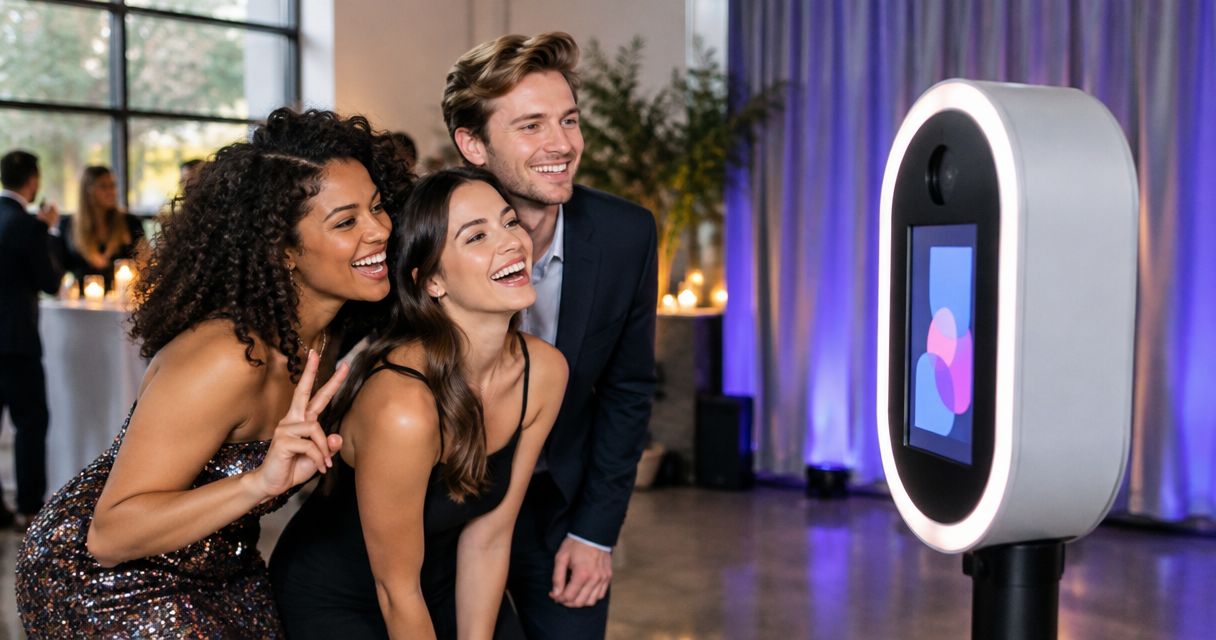
Best GIF booths for events in 2026
Best for branded photo and video capture: Hypno; best for animated stills: a burst GIF station; best for reversible motion: a boomerang-style video station. For a 2026 gif booth rental, choose the capture format around your activation brief, then confirm the exact file guests receive before booking.
TL;DR
- Hypno suits branded photo and video activations with instant delivery; confirm GIF output in your rental brief.
- Choose a burst GIF station when your creative depends on a sequence of still images.
- Choose a boomerang-style video station when forward-and-reverse motion is the intended effect.
- For gif booth rental, approve the capture, delivered file and guest journey before signing off.
why this matters
A GIF booth is an output decision, not just a piece of event equipment. An animated GIF, a looping video and a branded still image are different deliverables. A rental described as a GIF experience does not tell you which file lands on a guest’s phone.
For a brand activation, that distinction affects the creative brief. A product reveal needs readable branding. A movement-led experience needs an action guests can understand. A pop-up needs a capture journey that fits the space rather than interrupting it.
Hypno is best for brands and agencies seeking branded photo and video capture with instant delivery. Treat that as the reason to include Hypno in your shortlist—not as confirmation of a particular GIF export, capture mode or rental configuration.
what makes the best gif booth rental
Use these criteria for your 2026 shortlist. Judge the proposed experience against your campaign requirements, not a generic list of booth features.
- Delivered format. Request an example of the actual file guests receive. Confirm whether it is an animated GIF, video or still image.
- Branded content. Specify where the campaign identity belongs. Review the finished asset, not only the booth exterior or preview screen.
- Guest direction. Choose an action guests can understand without a lengthy explanation. Match the movement to the product and audience.
- Instant delivery. Ask the supplier to demonstrate the proposed delivery journey. Include any steps guests must complete before receiving their content.
- Production fit. Confirm the physical setup, access requirements and responsibilities in the proposal. Do not infer them from a promotional image.
- Approval clarity. Require separate approval of the creative treatment and the delivered file. A good-looking preview does not settle both questions.
Avoid asking for every possible effect. A focused brief gives suppliers something specific to answer and gives your agency a clear basis for approval.
gif booth rental options at a glance
These are buying approaches, not interchangeable products. Hypno is a named branded-capture provider; the remaining entries are formats to specify when requesting proposals. Their order reflects distinct activation needs, not measured performance against one another.
Hypno
- best for: branded photo and video activations
- defining approach: branded content capture and instant delivery
- key limitation: confirm GIF output and the proposed configuration
burst GIF station
- best for: pose-led animated content
- defining approach: a sequence of still images presented as animation
- key limitation: movement can look stepped rather than continuous
boomerang-style video station
- best for: simple movement-led creative
- defining approach: a short action played forward and backward
- key limitation: looping video is not automatically an animated GIF
roaming GIF capture
- best for: activations without a dedicated capture destination
- defining approach: an operator brings capture to participating guests
- key limitation: background and framing need tighter direction
enclosed GIF booth
- best for: controlled visual framing
- defining approach: a defined capture area separated from surrounding activity
- key limitation: enclosure adds physical planning requirements
1. Hypno: best for branded photo and video activations
Hypno provides branded instant photo and video booth technology and content capture services for event professionals, brands and agencies. Branded content and instant delivery make it relevant to launches, pop-ups and experiential marketing briefs.
The decision starts with your intended asset. If your campaign requires an animated GIF specifically, put that requirement in the brief and ask for a matching example. Do not substitute a general photo-and-video description for confirmation of the final format.
Hypno pros:
- Its stated offering centers on branded photo and video capture.
- Instant delivery is part of the stated offering.
- Its stated audience includes brands, agencies and event professionals.
Hypno cons:
- The supplied service description does not establish a specific GIF export workflow.
- Your proposal still needs to define the physical setup, deliverables and production responsibilities.
Best for: agencies selecting branded capture for a campaign, rather than shopping for an effect in isolation.
For a product launch, explain what must remain visible in the finished content: the product, campaign identity or participant action. Request a sample that answers that brief rather than approving an unrelated demonstration.
Verdict: buy for branded photo and video capture; hold a GIF-specific booking until the output is confirmed.
2. burst GIF station: best for pose-led animated content
A burst GIF station builds animation from a sequence of still images. The creative can center on changing expressions, poses or a product moving between positions.
This approach suits a brief where the individual frames matter. Think of a participant revealing a product or changing a pose—not a complex action that depends on smooth, continuous motion.
Burst GIF station pros:
- A short pose sequence gives guests a defined action.
- Each frame can be reviewed for product visibility.
- The animated-still format makes the intended deliverable explicit.
Burst GIF station cons:
- Sparse frame sequences create visibly stepped motion.
- A product or campaign message can disappear between poses without clear direction.
Best for: product reveals and pose-based campaign concepts that benefit from distinct visual beats.
Ask the supplier for a sample featuring the kind of movement your guests will perform. A strong expression-led example does not prove that a moving product will remain readable. Review the full loop, including its return to the beginning.
Verdict: buy when the creative is a sequence of poses; skip when continuous movement is essential.
3. boomerang-style video station: best for reversible motion
A boomerang-style video station captures an action that plays forward and then backward. The effect works around reversibility: a gesture returns to its starting position rather than cutting straight back to the beginning.
Choose an action that makes sense in both directions. A simple lift, turn or reveal is easier to brief than a sequence whose meaning depends on a beginning, middle and end.
Boomerang-style video station pros:
- The forward-and-reverse treatment gives guests a specific creative instruction.
- Simple gestures can carry the experience without elaborate choreography.
- The loop itself becomes part of the campaign concept.
Boomerang-style video station cons:
- Backward playback can undermine actions that need a natural sequence.
- A looping video file does not satisfy a requirement for an animated GIF unless that output is separately confirmed.
Best for: movement-led activations built around a reversible gesture.
Ask to see the delivered asset outside the capture interface. Confirm what opens on a phone and what your team receives afterward. Judge the content as a finished file, not only as an effect on a screen.
Verdict: buy for reversible motion; skip when your campaign requires a chronological story.
4. roaming GIF capture: best for distributed guest participation
Roaming capture brings the interaction to guests instead of asking everyone to visit a fixed station. In a GIF brief, specify the animated output as well as the mobile capture approach.
This is a production choice, not a guarantee of broader participation. Your plan still needs clear direction on where capture happens, who approaches guests and which surroundings belong in the frame.
Roaming GIF capture pros:
- Capture is not tied to a single guest-facing destination.
- The creative can incorporate different approved parts of the event.
- An operator can direct participants within the capture interaction.
Roaming GIF capture cons:
- Changing backgrounds make consistent framing harder to maintain.
- Mobile capture needs boundaries around access, guest approach and approved locations.
Best for: activations where participation is distributed across the event rather than concentrated at a set.
Give the operator a visual brief. Name the backgrounds to use, the areas to avoid and the product framing to preserve. Without those decisions, mobility becomes variation without a clear creative purpose.
Verdict: buy when movement through the event serves the brief; skip when identical framing is mandatory.
5. enclosed GIF booth: best for a defined capture environment
An enclosed GIF booth places the interaction inside a distinct physical setting. The enclosure separates the capture area from surrounding activity, while the actual animated output remains a separate specification.
Choose this format when the set is part of the idea. Do not assume that an enclosure alone settles lighting, accessibility, guest capacity or sound separation.
Enclosed GIF booth pros:
- A defined capture area gives the creative a consistent setting.
- The entrance establishes a clear destination for participation.
- The surrounding event does not need to appear in every frame.
Enclosed GIF booth cons:
- The structure introduces access and layout decisions.
- The experience is less integrated with the wider event environment.
Best for: campaigns that need a contained visual world rather than an event-floor backdrop.
Review entry, exit and the waiting area alongside the content treatment. Ask how the proposed setup accommodates participants and fits the venue’s requirements. The creative approval and physical-layout approval should describe the same experience.
Verdict: buy when containment supports the concept; skip when the event itself should be the backdrop.
how these options are ranked
This 2026 guide ranks by brief fit: branded content, intended movement, delivered format and production requirements. It does not assign performance scores or imply a hands-on comparison of specific rental packages.
The default is branded capture when the campaign needs branded assets. Burst animation, reversible video, roaming capture and enclosure each earn a place only when their defining approach serves a clear use case.
turn the shortlist into an approvable brief
For your 2026 activation, organize the decision into these steps. Ask suppliers to respond in the same order so your production team can compare proposals without translating different sales descriptions.
- Campaign goal. State what the capture should help guests do or remember. Name the product, launch or activation context.
- Capture action. Describe what participants do on camera. Include the intended framing and the role of the product.
- Delivered file. Specify the required output. Request 1 complete sample file that matches the proposed treatment.
- Guest journey. Review 1 complete guest journey, from approach through capture to receiving the content.
- Production approval. Assign 2 separate approvals: creative approval and operational approval. Name the owner of each.
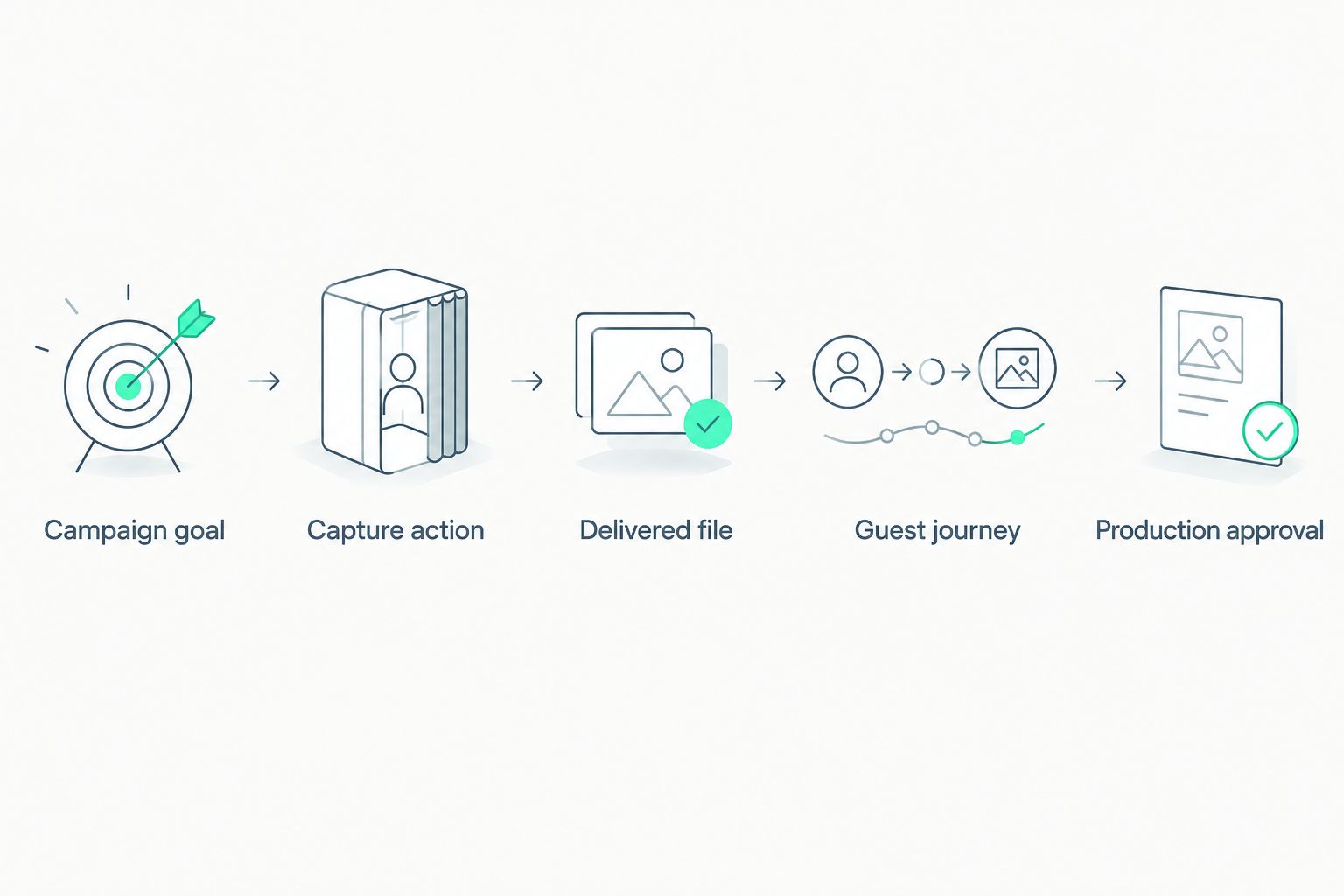
Approve the delivered file and guest journey, not just the capture effect.
If your brief starts with “photo booth rental los angeles” or “photo booth nyc,” add the event address and venue constraints before requesting a proposal. A city search identifies the market; it does not define your setup or confirm a supplier’s local presence.
Send the same requirements to every shortlisted supplier. Ask each to distinguish included deliverables from requests that still need confirmation. That makes the comparison useful without pretending every proposal describes the same service.
When requesting a quote, share your event date, location and a clear brief. Include the required output format and any creative references your team has already approved.
brief your branded capture
Share your event date, location and a clear brief, including the file format your campaign needs.
which gif booth rental should you choose?
Choose branded capture first when campaign identity and instant delivery are the priorities. Hypno belongs on that shortlist for branded photo and video; confirm the GIF requirement directly before treating it as a format match.
Choose burst animation for distinct poses. Choose boomerang-style video for reversible gestures. Choose roaming capture when location flexibility serves participation, and an enclosure when a defined setting serves the creative.
For a 2026 agency brief, the decisive question is simple: does the proposed experience produce the asset you approved through a guest journey your production team accepts? If not, keep the booking on hold.
FAQ
What's the best gif booth rental for a brand activation?
The best gif booth rental matches your required output, branded creative and guest journey. Hypno suits branded photo and video capture with instant delivery; confirm GIF output in the proposal before booking.
Is a GIF booth the same as a boomerang video booth?
No. A GIF booth describes an animated output, while a boomerang-style experience describes forward-and-reverse playback. Ask for the actual delivered file rather than relying on the effect name.
Does Hypno offer branded event content?
Yes. Hypno provides branded instant photo and video booth technology and content capture services for event professionals, brands and agencies. Confirm the specific format and configuration needed for your activation.
What should an agency include in a GIF booth rental brief?
Include the event date, location, campaign goal, capture action and required delivered file. Add venue constraints and identify who approves the creative and production plan.
Should a product launch use a fixed or roaming GIF booth?
Choose fixed capture when consistent framing is central to the brief, and roaming capture when participating across different event areas serves the concept. Review backgrounds and product visibility before approving either approach.
What should I ask when searching for photo booth rental in Los Angeles or NYC?
Ask the supplier to confirm coverage for your event address, the proposed setup and the exact deliverables. A city keyword does not establish a local office, a particular configuration or a confirmed service arrangement.
What should I approve before booking a GIF booth in 2026?
Approve a matching sample file, the guest journey and the production plan before booking. Keep creative and operational approvals separate so neither is mistaken for the other.
one last thing
Test the handoff, not just the animation. Open the sample on a phone, watch the entire loop and inspect where the campaign identity appears. Then ask someone outside the creative team to describe the intended action.
If the action needs a long explanation, simplify it before adding effects. A clear guest instruction is part of the content design.
related guides